





Zachary “zekken” Patrone has solidified his reputation as one of the most mechanically dominant entry duelists in competitive Valorant history. Operating as the spearhead for Sentinels, his explosive movement and crisp click-timing make him an ideal subject for technical analysis. Understanding the core parameters behind zekken settings 2026 gives ambitious players a clear baseline for mechanical aim optimization. Whether you want to mirror his exact configurations or refine your own mouse control, analyzing zekken settings 2026 helps map out high-tier hardware tuning and software parameters.
zekken settings 2026 quick reference
A comprehensive look at zekken settings 2026 reveals a highly refined setup engineered for extreme responsiveness and consistency.
| Parameter | Configuration Value |
| Mouse DPI | 1600 |
| In-Game Sensitivity | 0.175 |
| eDPI | 280 |
| Resolution | 1920×1080 (16:9 Fill) |
| Refresh Rate | Max Supported (ZOWIE XL2586X+) |
| Crosshair Style | Green Dot (#00ff00) |
| Keybind Layout | Default Abilities (C, Q, E, X), L-Shift Walk, L-Ctrl Crouch |
By running a 280 eDPI, zekken strikes an optimal balance between rapid 180-degree turns and precise micro-adjustments. Pairing a 1600 DPI hardware setting with a low in-game multiplier reduces signal interpolation and minimizes sensor latency. Combined with native 1080p resolution on a high-refresh panel, this layout ensures maximum visual motion clarity during chaotic site entries.
zekken mouse settings explained
Configuring a mouse setup at elite levels requires balancing sensor saturation and signal delay. When examining zekken settings 2026, his choice to run 1600 DPI with a 0.175 in-game sensitivity offers direct hardware advantages over traditional 800 DPI configurations. Modern optical sensors like the Focus Pro 35K in the Razer Viper V4 Pro Black register movement counts far more frequently at 1600 DPI. This higher sensor saturation reduces initial motion latency by sub-milliseconds, smoothing out cursor translation before rendering a frame.

Enabling Raw Input Buffer directly in Valorant bypasses Windows operating system hook processing. Instead of allowing background polling routines to process raw mouse counts, the engine fetches data points directly from the USB HID stack. At a 1000 Hz polling rate, this configuration maintains a pristine 1 millisecond update loop without frame drop jitter.
For targeted combat, his 0.8 scoped sensitivity multiplier offers a distinct feel compared to his 1.0 ADS multiplier. Dropping scoped sensitivity down to 0.8 dampens sudden hand motions while aiming through high-magnification lenses. This gives him micro-adjustment precision with the Operator, while retaining a 1.0 ratio on ADS to maintain identical focal velocity during close-quarters rifle duels.
zekken settings compared to other Valorant pros
| Player Name | Mouse Hardware | DPI | Sensitivity | eDPI | Crosshair Type | Resolution |
| zekken | Razer Viper V4 Pro | 1600 | 0.175 | 280 | Green Dot (#00ff00) | 1920×1080 (16:9) |
| TenZ | Pulsar TenZ Signature | 1600 | 0.173 | 276.8 | Cyan Dynamic Lines | 1920×1440 (16:10) |
| aspas | Logitech G Pro X Superlight 2 | 800 | 0.400 | 320 | White Classic Cross | 1920×1080 (16:9) |
| Asuna | Logitech G Pro X Superlight 2 | 1400 | 0.295 | 413 | Red Classic Cross | 1920×1080 (16:9) |
| Cryocells | Razer DeathAdder V3 Pro | 800 | 0.300 | 240 | Green Small Cross | 1920×1080 (16:9) |
Benchmarking zekken settings 2026 against the broader professional duelist ecosystem reveals where his mechanics sit relative to elite competition. While the average VCT duelist operates within the 250 to 350 eDPI range, zekken’s 280 eDPI positions him squarely in the low-medium sensitivity sweet spot. High-speed entry players like Asuna lean into high eDPI configurations exceeding 400 for rapid multi-angle clearing. Dedicated AWPers like Cryocells drop down near 240 eDPI to maximize pixel-perfect angle holding.
By utilizing 280 eDPI, zekken retains sufficient arm mobility for 180-degree turns on entry agents without compromising micro-correction control during rifle spray transfers. His choice to run 1600 DPI over the 800 DPI favored by players like aspas delivers reduced sensor latency, bridging low sensitivity accuracy with responsive frame processing.
zekken crosshair code and settings 2026
To replicate his reticle, paste this profile import code directly into the Valorant crosshair menu:
0;s;1;P;c;1;t;2;o;1;d;1;0b;0;1b;0;S;b;1;c;8;s;0.823

| Parameter Group | Option Setting | Value |
| Primary | Color / Outlines / Center Dot | Green (#00ff00) / On (Opacity 1, Thickness 2) / On (Opacity 1, Thickness 2) |
| Inner Lines | Show Inner Lines / Errors | Off / Movement & Firing Error Off |
| Outer Lines | Show Outer Lines / Errors | Off / Movement & Firing Error Off |
Running a minimalist dot configuration removes visual clutter during fast-paced site entries. His selection of vivid green (#00ff00) leverages color contrast theory to accelerate visual target acquisition. Primary combat environments on maps like Ascent, Bind, and Haven feature warm terracotta, tan, and sandstone backgrounds. High-luminance green sits on the opposite end of the visual color wheel relative to these warm textures, producing instant chromatic separation. This contrast prevents the reticle from disappearing into wall geometry or agent utilities, helping preserve crosshair placement during rapid flicks.
zekken video and graphics settings 2026
| General Setting | Configuration Value |
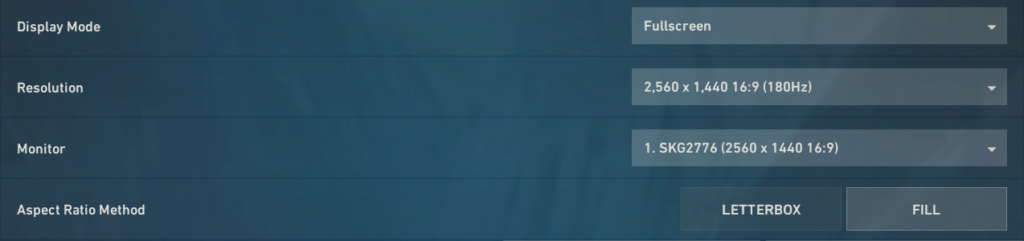
| Resolution | 1920×1080 |
| Aspect Ratio | 16:9 |
| Aspect Ratio Method | Fill |
| Display Mode | Fullscreen |
| Graphics Quality Setting | Preference Value |
| Multithreaded Rendering | On |
| Material Quality | Low |
| Texture Quality | Low |
| Detail Quality | Low |
| UI Quality | Low |
| Anti-Aliasing | None |
| Anisotropic Filtering | 1x |
| Vignette / VSync | Off / Off |
| Experimental Sharpening / Bloom / Distortion | Off / Off / Off |
Running a stripped-down visual profile in competitive Valorant directly targets target tracking clarity and frame latency stability. In zekken settings 2026, setting every graphical toggle to low minimizes GPU render queue overhead. When playing on high-refresh displays like the ZOWIE XL2586X+, consistent frame timing prevents visual stutter during aggressive site takes. Disabling post-processing effects like Vignette, Bloom, and Distortion eliminates visual clutter that can obscure enemy agent outlines through utility smoke.
Multithreaded Rendering remains enabled to balance processing loads across CPU cores, preventing single-core frame bottlenecks during heavy ability executions. Forced Fullscreen mode grants Valorant direct hardware access, bypassing Windows desktop window manager composition to eliminate unnecessary input buffering.
zekken complete gear setup 2026
Analyzing zekken settings 2026 requires looking closely at the hardware foundation that supports his precise mechanical execution.
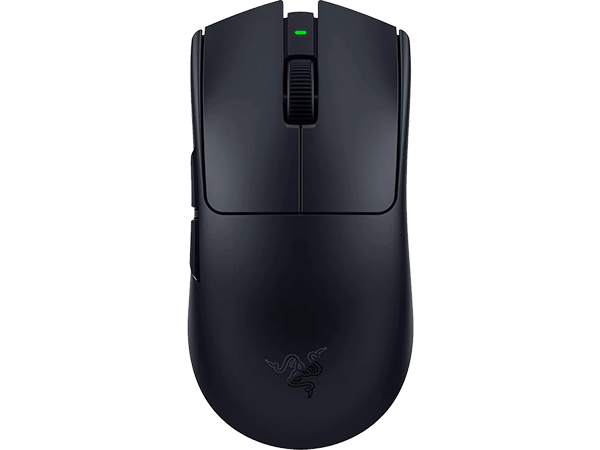
Mouse: Razer Viper V4 Pro Black
The Razer Viper V4 Pro Black serves as the primary pointing device in zekken settings 2026, weighing roughly 49 grams.
Equipped with the Focus Pro optical sensor and Gen-4 optical switches, this wireless mouse provides absolute tactile clarity without debounce latency issues. Its symmetrical, low-profile chassis allows for rapid micro-adjustments and firm claw grip stability during intense duels.
Monitor: ZOWIE XL2586X+
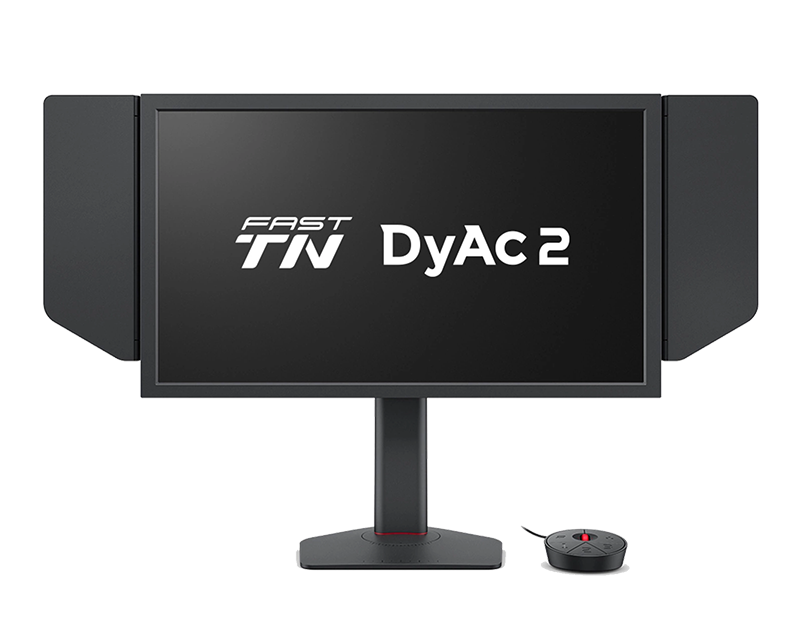
Visual clarity is provided by the ZOWIE XL2586X+, a high-performance Fast-TN panel running at a 600 Hz refresh rate.
Utilized with DyAc Premium dynamic accuracy technology, this display virtually eliminates motion blur during fast camera pans. Custom color profiles featuring Black eQualizer 20 and Color Vibrance 12 illuminate dark corners, helping targets stand out instantly against map geometry.
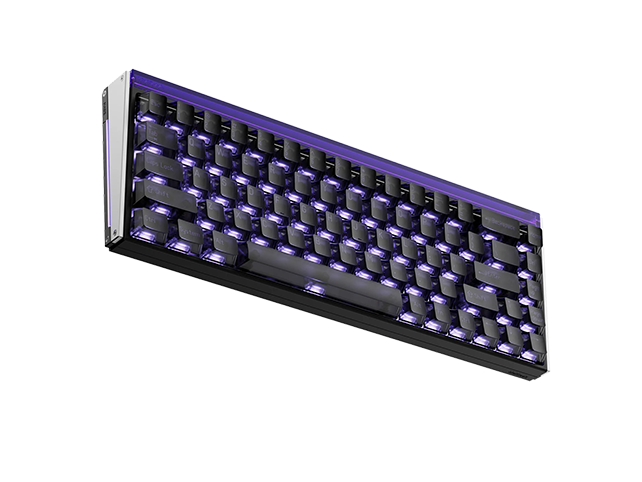
Keyboard: MelGeek MADE68 Ultra V2
For movement input, the MelGeek MADE68 Ultra V2 magnetic switch keyboard provides ultra-fast rapid trigger response.
With dynamic actuation points adjusted per key, counter-strafing becomes near-instantaneous. The magnetic hall effect switches reset immediately upon upward finger movement, eliminating mechanical actuation delay during jiggle-peeking and quick directional changes.
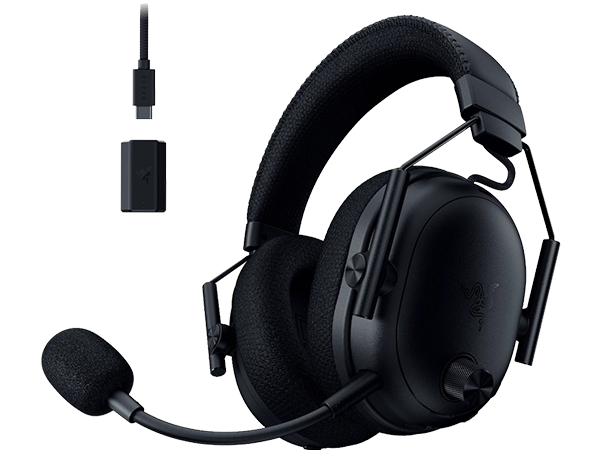
Audio: Razer BlackShark V3 Pro Black / Shure SE215 Clear
A dual audio setup delivers crystal-clear acoustic positioning.
The Razer BlackShark V3 Pro headset provides passive noise isolation and balanced audio cues, while Shure SE215 Clear in-ear monitors deliver isolated frequency separation. This combination allows detailed spatial awareness of footstep distance, ability cast triggers, and reload cues amidst chaotic site executes.
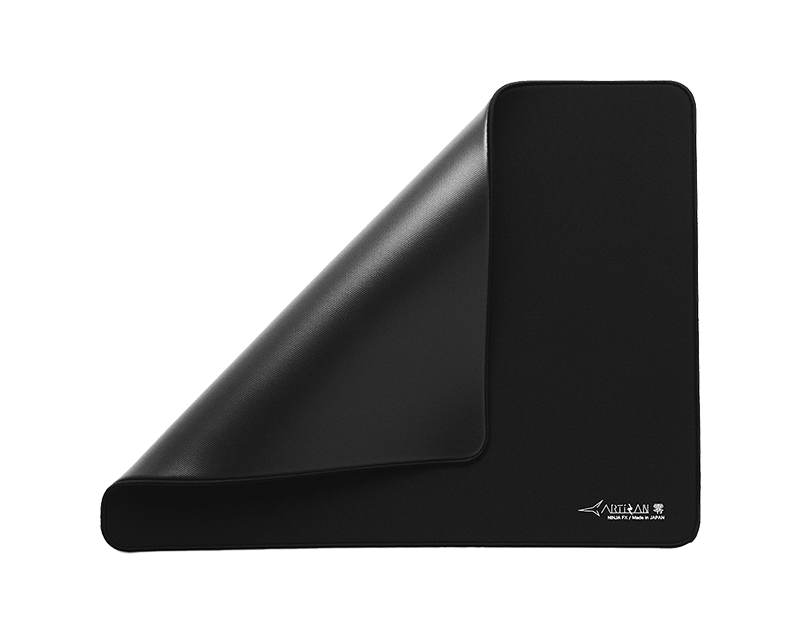
Mousepad: Artisan Ninja FX Zero Soft Black
Tracking surface control relies on the Artisan Ninja FX Zero Soft Black.
Known for its balanced blend of static friction and glide, this Japanese cloth pad offers consistent tracking feel regardless of humidity changes. The soft base density provides subtle stopping power when pressing down during high-velocity flick corrections.
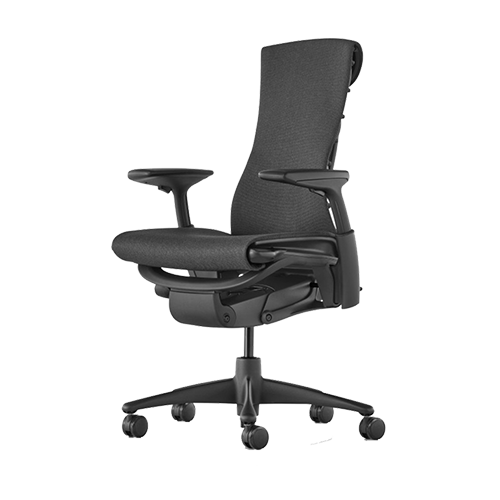
Chair: Herman Miller Embody
Ergonomic support over long practice sessions comes from the Herman Miller Embody chair. Designed specifically for optimal spinal alignment and pressure distribution.
Its matrix support structure moves dynamically with body micro-adjustments to prevent fatigue during extended tournament play.
PC Hardware
The powering engine behind zekken settings 2026 features an AMD Ryzen 9 5950X CPU paired with an NVIDIA GeForce RTX 5080 GPU and 16GB of G.SKILL Trident Z NEO RAM. This hardware stack guarantees stable, uncapped frame rates far above 600 FPS, matching the monitor refresh rate to deliver flawless frame timing.
zekken keybinds 2026
| Action Group | Command Input | Key Assignment |
| Movement | Jump / Walk / Crouch | Space Bar / L-Shift / L-Ctrl |
| Abilities | Ability 1 / Ability 2 / Ability 3 / Ultimate | C / Q / E / X |
| Equipment | Primary / Secondary / Melee / Spike / Interact | 1 / 2 / 3 / 4 / F |
Analyzing the keybind structure reveals an ergonomic configuration tailored for high-speed duelist execution. Binding core utility to C, Q, E, and X preserves full movement fluidness across WASD. Assigning primary mobility abilities to E and Q enables instant finger transitions from strafe keys without halting entry momentum.
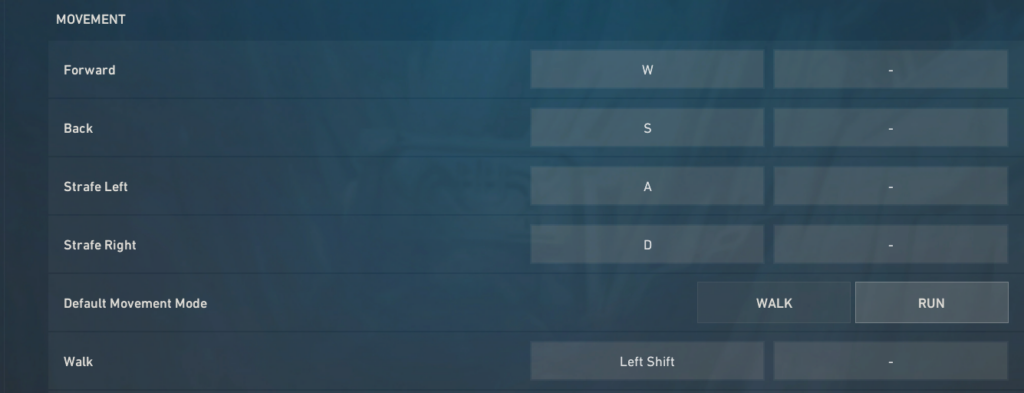
Utilizing L-Shift for walking and L-Ctrl for crouching maintains standard pinky finger placement. When paired with rapid trigger magnetic switches, this layout minimizes actuation travel time during aggressive counter-strafing. Standard weapon inputs on keys 1 through 4 ensure fast equipment swapping in chaotic trades. Adopting zekken settings 2026 keybind habits ensures utility cast times never compromise movement or gunplay responsiveness.
How to adapt zekken settings
Transitioning to zekken settings 2026 requires a structured adaptation phase rather than an overnight shift. Changing physical sensitivity and hardware inputs alters established motor pathways, demanding systematic adjustments to prevent mechanical inconsistency.
Week 1 (Adopt Immediately): Core Setup & Engine Parameters
Apply 1600 DPI, crosshair code, and graphic presets to eliminate input latency.
       |
       v
Weeks 2-3 (Adapt Gradually): Sensitivity Calibration
Adjust mouse sensitivity in small steps toward 280 eDPI based on pad surface friction.
       |
       v
Week 4 (Avoid Copying): Personal Customization
Tailor keybinds and monitor color profiles to personal physical ergonomics rather than forcing exact matches.
Phase 1 focuses on foundational hardware settings during the first week. Apply 1600 DPI, import the dot crosshair code, and match his graphic presets immediately. Eliminating display latency and reducing engine input buffering establishes a clean baseline without impacting spatial awareness.
Phase 2 spans weeks two and three, focusing on sensitivity calibration. If coming from a vastly different sensitivity, transition toward 280 eDPI in small daily increments. Allow your arm and wrist mechanics to balance micro-flicks and tracking adjustments on your specific mousepad surface.
Phase 3 occurs in week four, prioritizing personal ergonomic calibration over direct copying. Avoid forcing keybinds or color profiles that cause hand strain or visual fatigue. Adapt his underlying technical logic while adjusting final parameters to match your unique physical biology.
Zekken has an official youtube channel, go check him out!
zekken aim training and warm-up routine
A disciplined preparation structure ensures peak mechanical execution before entering competitive queues. Relying on hardware adjustments alone is insufficient without consistent neuro-muscular conditioning. The primary goal of a pro warm-up is isolating fundamental sub-skills, including target tracking, micro-flicking, and movement counter-strafing, rather than building fatigue.
Block 1 spans 10 minutes inside the in-game Practice Range. Start by eliminating static bots using a Sheriff or Vandal, prioritizing single-tap precision over speed. Focus on clean head-level tracking while side-strafing between shots to synchronize key press actuation with crosshair placement. Transition to 50 Bot elimination drills to warm up wide horizontal flicks and immediate recoil reset timings.
Block 2 allocates 15 minutes to external aim software such as Aim Lab or Kovaaks. Focus on micro-adjustment scenarios that mirror high-velocity tactical duel dynamics. Scenarios targeting small target clicking, fast target switching, and reactive tracking prime fine motor control in the wrist and fingers.
Block 3 finishes with 15 minutes of Deathmatch or Team Deathmatch. Perform two to three matches focusing strictly on movement isolation, crosshair placement at common choke points, and confident peeking techniques.
Adopting zekken settings 2026 provides a technically sound baseline, but downloading config files and mirroring peripheral setups is only the beginning. Elite mechanical aim is ultimately built on continuous deliberate practice, high-volume repetition, and sharp tactical awareness. Hardware optimizations and tuned mouse sensitivity remove input friction and ensure mechanical consistency, but they cannot replace the muscle memory required to win high-stakes duels in Valorant. Treat these configurations as a stable foundation to build upon while focusing daily effort on crosshair placement, movement timing, and game sense.
