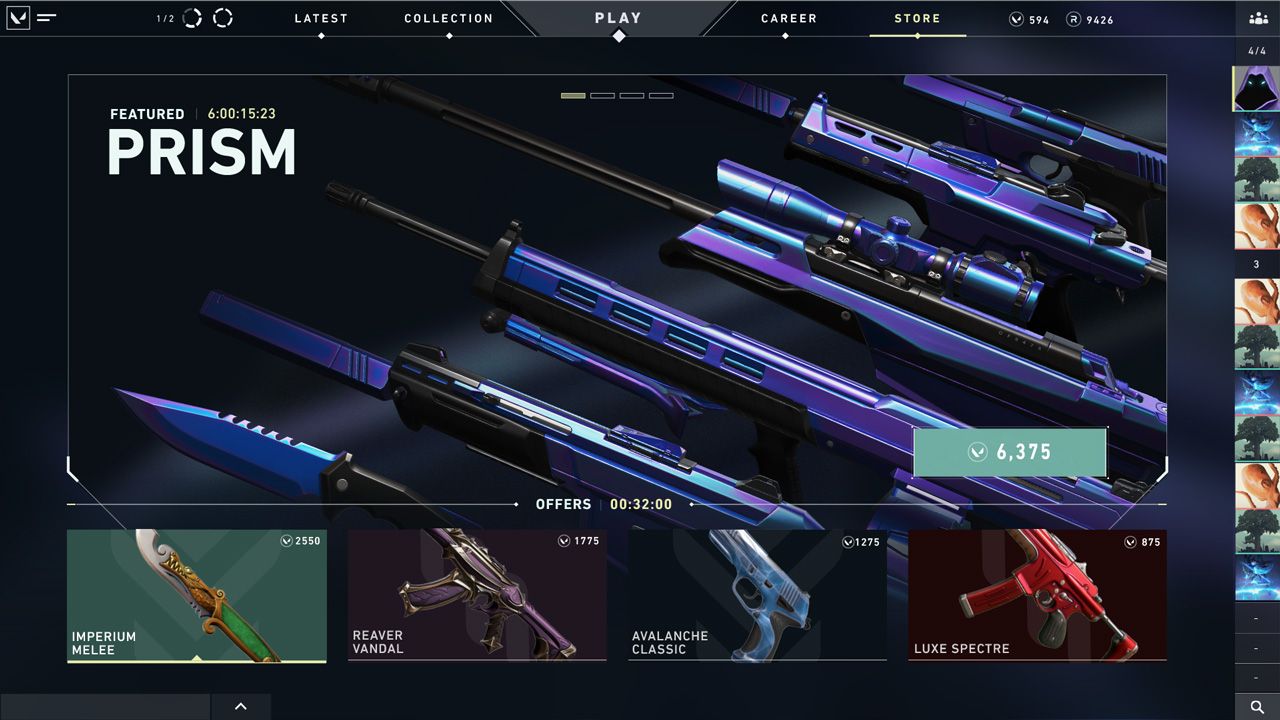






Valorant’s store rotation is fun until you’re stuck waiting weeks for one skin. A Valorant store tracker is any method that lets you check your Valorant daily shop remotely – from your phone, browser, or Discord – without launching the game.
If you want the easiest option, Pley.gg’s Discord bot lets you check your shop in seconds without opening Valorant. Just remember: Riot does not provide an official “store checker” app or website, so most trackers are third-party tools. The golden rule is simple: never type your Riot password into a bot, app, or random website. In this guide, we’ll cover the common methods, what’s actually safe vs risky, and how to protect your account.

Quick answer: What is a Valorant store tracker?
A Valorant store tracker is any tool or workaround that shows your personal daily shop outside the Valorant client. The safest option is still checking in-game, but players commonly use Discord bots or remote desktop when they’re away from their PC. Mobile apps and web trackers can be convenient, but they’re also where most account scams happen.
Note: Your personal offers refresh every 24 hours (based on the in-client store timer). If a tracker shows a different reset time, trust the client. Riot also explains how the store works here: Guide to the VALORANT Store.
Valorant Store Tracker methods compared
If you want the quick shortcut: Discord is the fastest way to check your shop without opening the game, the official client is the most accurate.
| Method | Risk level | Best for | Example |
|---|---|---|---|
| Discord bot | Low | Shop checks and other in-game/esports commands | Pley’s Discord bot (recommended) |
| Official client | Low | Anyone who prioritizes account safety | Launch VALORANT |
| Remote client (remote desktop) | Low | Checking your shop from your phone or another PC while traveling | Chrome Remote Desktop / Parsec |
| Mobile app | High | Fast checks (only with extreme caution) | ValoHub (Android) |
| Desktop overlay | Medium | PC players who want stats/tools while playing | Valorant Tracker (Overwolf) |
Method 1: Pley’s Discord bot (recommended)
If your goal is “check my shop fast without opening Valorant,” Discord is the cleanest workflow. You’re already on your phone, you’re already in chat, and you can get your store info in a few seconds.
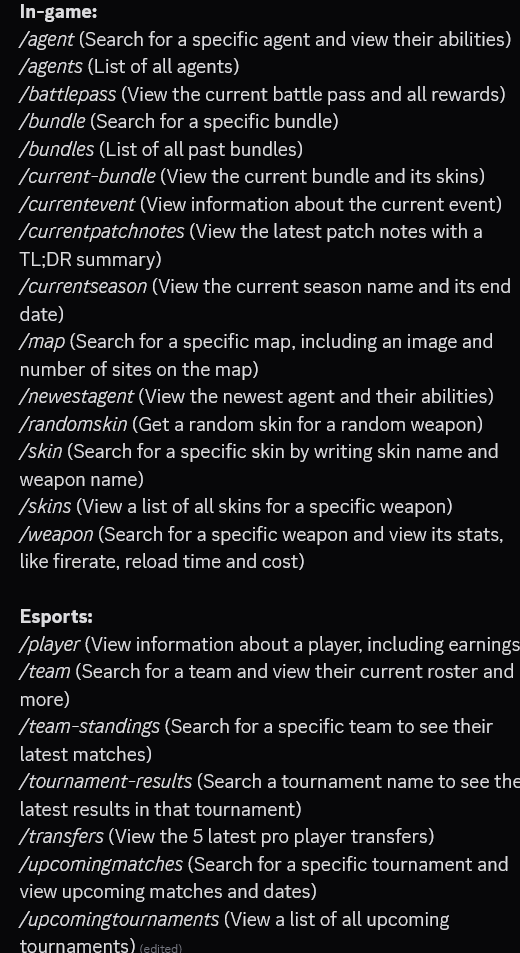
Pley’s Discord bot is built for that job, plus extra Valorant features (agents, bundles, battle pass, maps, and esports info). It also helps you avoid the two sketchiest paths: downloading random APKs or entering your login on unknown websites.
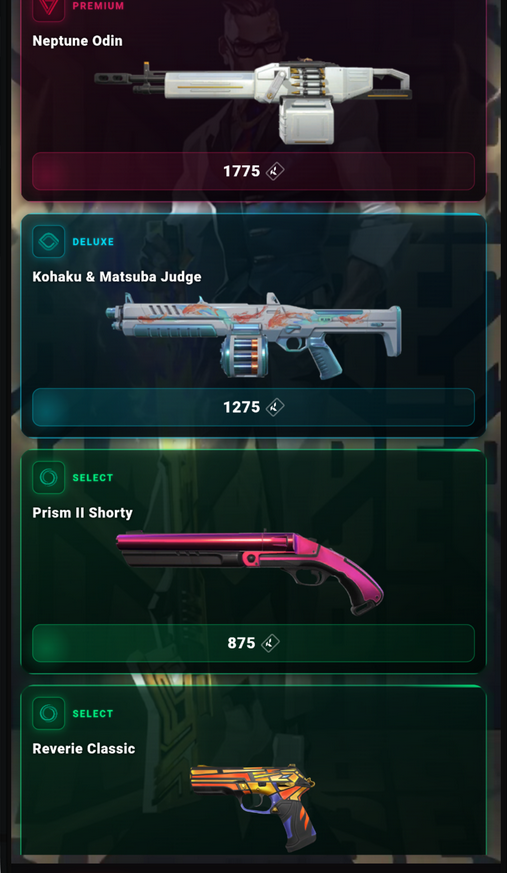
How Pley.gg’s Valorant store tracker work: We have the user connect through Riot’s API to login, then we’ll be able to provide you the shop, as seen in the picture to the right.


How to use the Pley.gg bot (step-by-step)
- Step 1: Join the Discord: Pley.gg/discord
- Step 2: Go to #general-chat inside the Valorant category.
- Step 3: Use the /login command.
- Step 4: Follow the guide the bot will show you.
- Step 5: Use the /Shop command to view your shop.
Why Discord beats random “store tracker” websites: most scams look convincing and rely on one thing – getting you to type your Riot password somewhere that isn’t Riot. The fewer places you enter account details, the safer you are. If a tool can’t clearly explain how it works without grabbing your password, don’t use it.
Method 2: The official way (safest)
The safest “store tracker” is still the official client. It’s not as convenient, but it keeps everything inside Riot’s normal login flow – and your offers rotate every 24 hours anyway, so checking the Store tab is the most accurate source.
How to check your shop officially
- Step 1: Launch Valorant on your PC (Check out our Valorant download guide).
- Step 2: Open the Store tab.
- Step 3: View your daily offers and bundle (if available).

Method 3: Remote desktop (a safer “check from phone” workaround)
If you want to check the shop while away from your setup, remote desktop is a good middle ground. You’re still checking the store in the official client – you’re just remote viewing your PC.
How to use remote desktop to check your store
- Step 1: Set up remote access on your PC (e.g., Chrome Remote Desktop, Parsec).
- Step 2: Make sure your PC can stay on (or wake remotely) when you need it.
- Step 3: Connect to your PC, open Valorant, and check the Store tab.
- Step 4: Disconnect when you’re done (don’t leave remote sessions open).
Method 4: Mobile apps (fast, but higher risk)
Mobile “shop checker” apps can be convenient, but they’re one of the riskiest methods. The biggest red flag is any app that asks you to type your Riot username and password directly into the app.
How to use mobile store trackers with less risk
- Step 1: Only install apps from the official App Store / Google Play (avoid APK downloads and unofficial mirrors).
- Step 2: Check the developer name, update history, and reviews (don’t rely on one comment thread).
- Step 3: Enable extra account protection first (MFA + a unique password).
- Step 4: If the app asks for your Riot password directly inside the app, stop using it and change your password.
Examples players use include ValoHub (Android), VALPAW (iOS), and SpikeHub (Android). We’re not affiliated with these apps – always review permissions and the login/auth method before using any third-party “companion.”
How to avoid getting scammed by web trackers
- Step 1: Double-check the domain before you click any “login” button (typos and lookalike URLs are the whole trick).
- Step 2: Avoid any site that asks you to type your Riot password directly into a page form.
- Step 3: Look for independent community feedback and signs the project is maintained (recent updates, changelog, active support).
- Step 4: If you already entered credentials on a sketchy site, change your password immediately and contact Riot Support if you see suspicious activity.
Quick verification: Riot’s own security advice is to never enter your credentials anywhere except their official login domain. If a “store checker” asks you to log in on anything other than a Riot-owned page, back out.

Is there an official Valorant store tracker?
No. Riot hasn’t released an official app or website that shows your personal daily shop outside the Valorant client. That’s why third-party trackers exist – and why you should be picky about what you trust. If a tool asks for your password, promises “instant access,” or feels unclear about how it works, skip it and check in-client instead.
Why Valorant’s daily store makes people want a store tracker
Valorant’s daily store is randomized per account. Each day you typically get a small set of offers, and the pool of cosmetics keeps growing. That’s why players look for a Valorant store tracker – not because they want a “hack,” but because they don’t want to launch the client just to see four skin cards.
This video sums up the frustration many players feel with the daily rotation system (and why “checking the shop” becomes a routine):
The takeaway is simple: the more skins that exist, the more valuable it becomes to have an easy way to check your daily rotation – especially if you’re away from your PC.
Skins aren’t just “looks”: Why tracking matters
A lot of the hype around skins comes from small details – inspect audio, animations, finishers, hidden gimmicks, and “feel.” If you’re waiting for a particular skinline, knowing what’s in your shop each day helps you avoid impulse buys and save VP for the one you actually want.
This video goes deep on skin gimmicks and hidden features (it’s also a good reminder that not all “premium-looking” skins are equal):
When you combine “skin knowledge” with a Valorant store tracker, you’re basically doing the smart version of shop checking: less FOMO, more intentional purchases.
FAQ: Valorant Store Tracker
Is there an official Valorant store tracker?
No. Riot hasn’t released an official way to view your daily shop outside the Valorant client. For official updates, use playvalorant.com and Riot support.
How can I check the Valorant store without opening the game?
If you want the fastest option, use Pley.gg’s Discord bot. Join Pley.gg/discord, open #bot-commands to see the available commands, then run the commands in #general-chat inside the Valorant category.
Can I get banned for using a Valorant store tracker?
There’s always some risk with third-party tools. Riot has said third-party apps can be fine in general, but they take issue with anything that breaks rules, harms competitive integrity, or violates policies. The safest option is still checking the store in-client. If you choose a tracker, avoid anything that asks for your password and keep your account protected with strong security settings.
What should I do if I already entered my Riot login on a suspicious site?
- Change your Riot password immediately (and change it anywhere you reused it).
- Enable MFA on your Riot account if you haven’t already.
- Check your email for login warnings or unusual account activity.
- If you notice anything suspicious, contact Riot support right away.
