





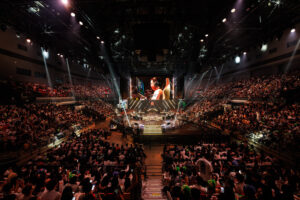
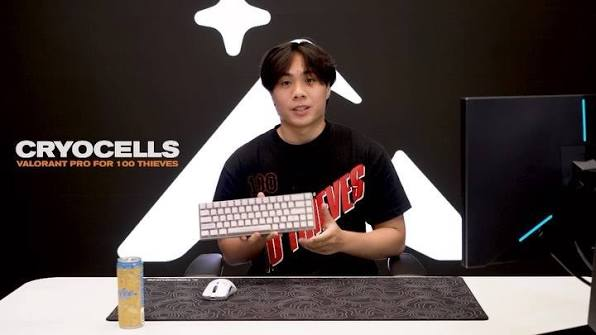
Matthew “Cryocells” Panganiban remains one of the most lethal mechanical talents in professional esports. First making waves on XSET, Cryocells solidified his reputation as a premier Operator anchor before becoming a foundational pillar for 100 Thieves. Known for his pixel-perfect crosshair placement and lightning-fast reaction times, his transition across Duelist and Sentinel roles highlights his versatile aim stability. This guide covers the complete breakdown of the official Cryocells settings 2026, detailing his sensitivity, video options, gear, and keybinds.
Cryocells settings 2026 quick reference
Understanding the baseline configuration of a world-class anchor provides critical context for your own mechanical setup. Cryocells relies on a low-eDPI baseline paired with high refresh rates to maintain micro-correction precision.
| Parameter | Configuration Value |
| Mouse DPI | 800 |
| In-Game Sensitivity | 0.30 |
| eDPI | 240 |
| Polling Rate | 1000 Hz |
| Resolution | 1920×1080 |
| Aspect Ratio | 16:9 Native |
| Crosshair Code | 0;P;h;0;0l;4;0o;0;0a;1;0f;0;1b;0 |
Running 800 DPI at 0.30 in-game yields an eDPI of 240, placing him well below the professional average of roughly 267 eDPI. Operating at 240 eDPI demands generous arm movement across the mousepad, trading rapid 180-degree turns for exceptional stopping power on held angles. Playing on native 1920×1080 resolution maintains consistent visual scaling, ensuring pixel distance matches muscle memory without horizontal stretching artifacts.
Cryocells mouse settings explained
Evaluating the underlying physics of mouse hardware reveals why Cryocells settings 2026 perform so consistently at the highest level of tier-one competition. While many casual players select arbitrary values, operating at a clean 800 DPI or 1600 DPI ensures optimal sensor saturation without triggering high-frequency optical noise or unwanted smoothing filters on modern optical sensors. Modern flagship sensors achieve their lowest mechanical motion latency when running clean sensor polling loops without hardware acceleration.
Enabling Raw Input Buffer bypasses the standard Windows operating system API hook. Instead of waiting for Windows to aggregate hardware interrupts, Valorant directly receives raw data streams straight from the optical sensor. This reduces input processing latency by up to 1.2 milliseconds and eliminates micro-stutter during high-velocity arm swipes.
For primary Operator mains, maintaining a 1.0 scoped sensitivity multiplier is vital. A 1.0 multiplier locks the zoomed field-of-view sensitivity curve to match hipfire distance scaling identically. When flicking to moving targets across narrow chokepoints, 1:1 focal conversion preserves exact muscle memory, ensuring that physical hand displacement translates to predictable crosshair motion regardless of magnification.
Cryocells settings compared to other Valorant pros
Evaluating how Cryocells settings 2026 stack up against competing tier-one Duelist and Chamber players demonstrates clear stylistic differences in mechanical execution. While aggressive entry Duelists often opt for higher mobility sensitivity, dedicated Operator anchors lean heavily toward sub-250 eDPI configurations.
| Player | Team | eDPI | Resolution | Crosshair Style | Main Mouse |
| Cryocells | 100 Thieves | 240 | 1920×1080 | Small Cross | Logitech G Pro X Superlight 2 |
| Aspas | MIBR | 320 | 1920×1080 | Classic Cross | Logitech G Pro X Superlight 2 |
| Derke | Fnatic | 320 | 1920×1080 | Static Dot | Logitech G Pro X Superlight 2 |
| Yay | Bleed Esports | 250 | 1920×1080 | Small Cross | ZOWIE EC2-CW |
| TenZ | T1 | 276.8 | 1920×1440 | Cyan Cross | Pulsar TenZ Signature Edition |
Operating at 240 eDPI places Cryocells on the lower end of the professional spectrum. High eDPI players like Aspas and Derke utilize 320 eDPI to enable rapid clearance of multi-angle sites during chaotic site executes. In contrast, Cryocells prioritizes extreme micro-stopping accuracy and tracking stability. Holding long sightlines requires holding tight pixel angles. A lower eDPI increases physical hand movement tolerances, making tiny mechanical jitters imperceptible on screen. This deliberate trade-off trades instant 180-degree turn speed for unmatched first-shot consistency on sniper platforms.
Cryocells crosshair code and settings 2026
Import the exact reticle profile directly into your game client using the profile string below:
0;P;h;0;0l;4;0o;0;0a;1;0f;0;1b;0

| Crosshair Parameter | Setting Value |
| Color | White (#FFFFFF) / Green |
| Outlines | Off |
| Center Dot | Off |
| Inner Lines | On (Opacity 1.0, Length 4, Thickness 2, Offset 0) |
| Outer Lines | Off |
| Movement Error | Off |
| Firing Error | Off |
Cryocells relies on a tight, static crosshair with no center dot or error indicators. Disabling movement and firing error prevents visual distraction during high-velocity strafe timing, ensuring the reticle remains a fixed reference point.
Color selection in competitive Valorant relies on color contrast theory against map textures. Maps like Icebox and Breeze feature heavy blue and bright yellow backgrounds. White or high-contrast green reticles stand out cleanly against dark choke points and vibrant agent abilities without blending into ambient visual clutter.
Cryocells video and graphics settings 2026
Optimizing engine performance ensures maximum frame delivery to high refresh rate panels. The complete Cryocells settings 2026 video configuration balances visual clarity with minimal frame render latency.
| Display Option | Configuration Value |
| Display Mode | Fullscreen |
| Resolution | 1920×1080 |
| Aspect Ratio | 16:9 Native |
| Refresh Rate | 360Hz / 400Hz |
| Graphics Quality | Setting Selection |
| Material Quality | Low |
| Texture Quality | Low |
| Detail Quality | Low |
| UI Quality | Low |
Disabling heavy shaders recovers hardware GPU processing headroom. Material and Texture options set to Low strip ambient occlusion, specular reflections, and surface bump mapping. This reduces visual noise and eliminates frame drop spikes during heavy ability deployments.
| Performance Setting | Status |
| Vignette | Off |
| V-Sync | Off |
| Anti-Aliasing | None / MSAA 2x |
| Anisotropic Filtering | 4x or 8x |
| Nvidia Reflex | On + Boost |
V-Sync is disabled to prevent frame queue buffering latency. Enabling Nvidia Reflex Low Latency on On + Boost locks the GPU clock frequency at maximum power states, preventing downclocking during passive round phases and eliminating system latency spikes.
Cryocells complete gear setup 2026
A professional player setup requires precise component synergy where every peripheral eliminates friction and hardware latency. The Cryocells settings 2026 gear profile reflects a careful selection of specialized esports hardware designed to maximize tracking consistency and optical precision.
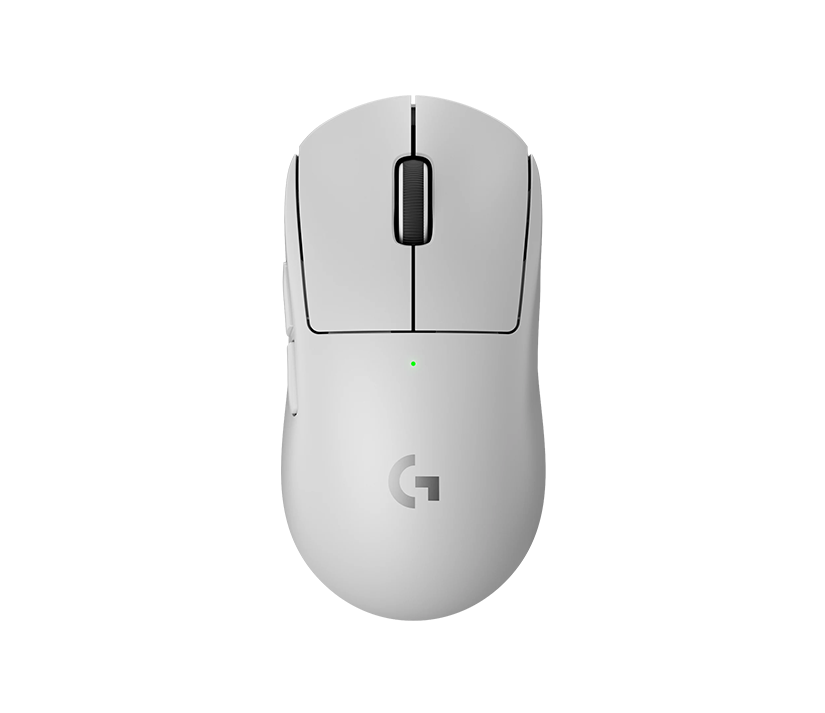
Mouse: Logitech G Pro X Superlight 2
Cryocells equips the Logitech G Pro X Superlight 2, utilizing its ultralight 60-gram chassis to execute rapid arm movements without physical fatigue. Equipped with the HERO 2 optical sensor, the mouse delivers flawless 1:1 tracking without hardware acceleration, smoothing, or filtering.
Its hybrid optical-mechanical LIGHTFORCE switches provide instantaneous tactile feedback with near-zero click latency, ensuring snappers trigger Operator shots immediately upon target acquisition. To maintain balanced glide resistance across large arm movements, he utilizes aftermarket PTFE skate configurations on clean cloth surfaces.
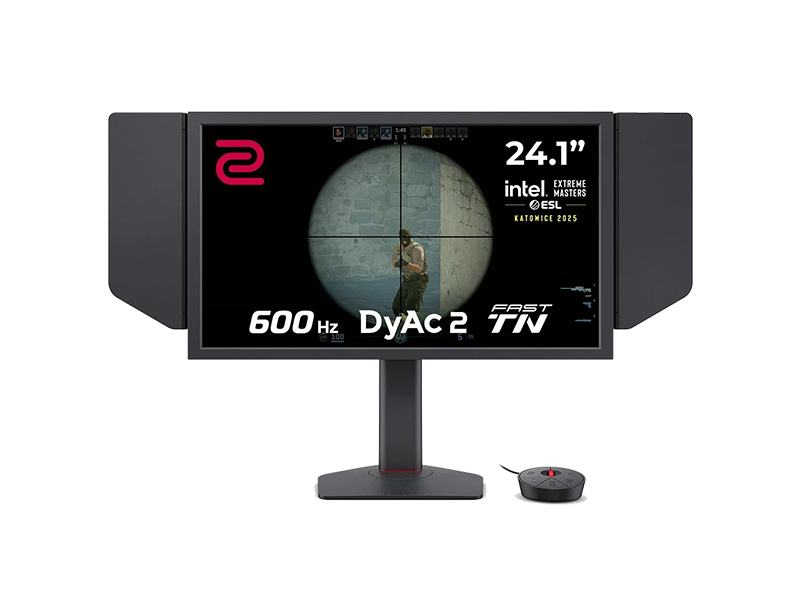
Monitor: BenQ ZOWIE XL2566K / XL2566X+
For primary display output, Cryocells relies on the BenQ ZOWIE XL2566 series operating at a native 360Hz refresh rate on a Fast-TN panel. TN panel technology provides unmatched pixel transition times, virtually eliminating motion blur during rapid crosshair movement.
BenQ DyAc+ (Dynamic Accuracy) technology further reduces motion ghosting by strobing the backlight in sync with panel refresh loops. This keeps enemy hitboxes sharp when executing fast arm flicks across long sightlines on maps like Haven or Ascent.
Keyboard: Wooting 60HE
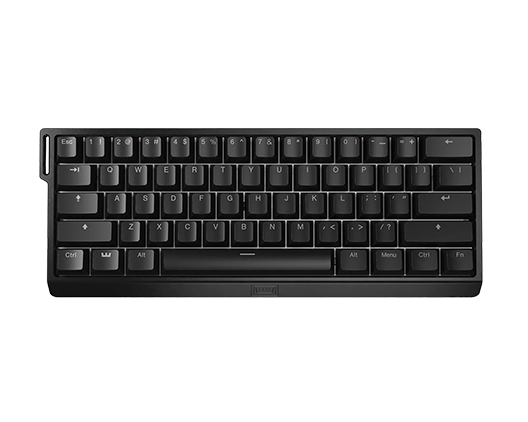
Movement mechanics in Valorant demand precise stopping power to reset firing error variables instantly. Cryocells uses the Wooting 60HE magnetic analog keyboard, leveraging its Lekker hall-effect switches for custom actuation points.
By enabling Rapid Trigger functionality, keys deactivate the exact instant they move upward, allowing immediate counter-strafing without waiting for physical key reset travel. This rapid mechanical reset provides an immense mechanical advantage when holding tight angles with the Operator or swinging corner angles.
Audio: HyperX Cloud II / Razer BlackShark Series
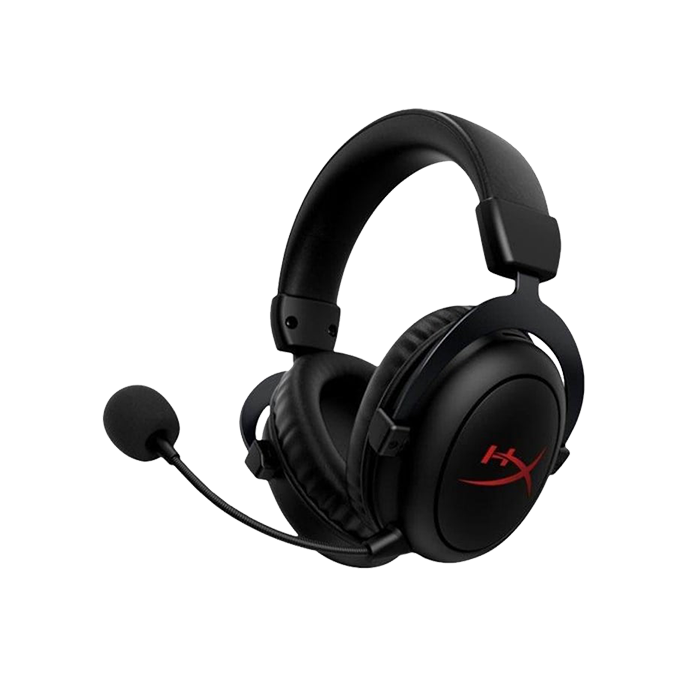
Pinpointing enemy footsteps and ability audio queues requires flat, accurate frequency response. Cryocells utilizes a high-grade gaming headset featuring 53mm directional drivers to deliver detailed spatial positioning.
By pairing clean stereo output with Valorant HRTF (Head-Related Transfer Function) processing, he accurately determines vertical and horizontal sound sources through walls, allowing proactive crosshair positioning before enemies peek.
Mousepad: Artisan Ninja FX Zero Soft
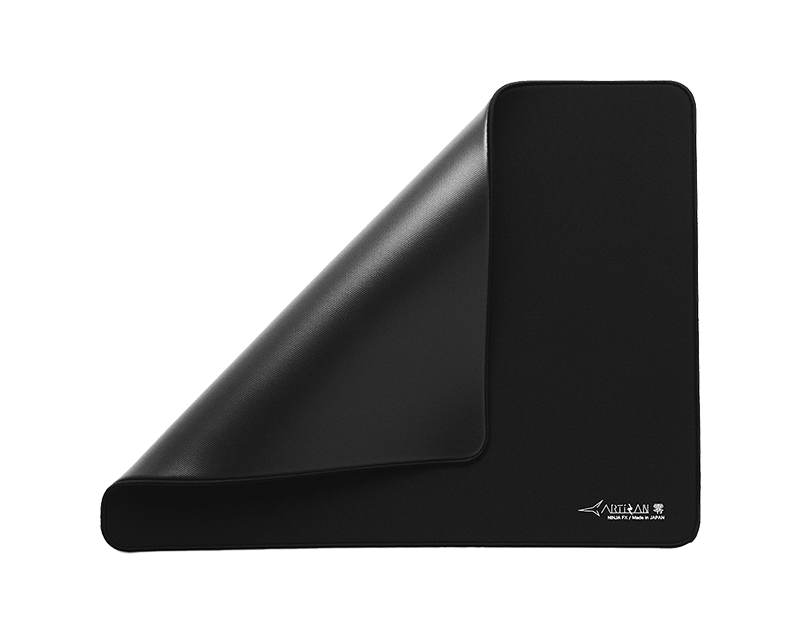
To balance dynamic movement with stopping control, Cryocells pairs his low eDPI with the Artisan Ninja FX Zero Soft. Constructed with a high-density Japanese woven cloth surface.
the Zero Soft offers slight initial friction to prevent overshooting micro-adjustments while maintaining low kinetic friction for smooth tracking. The soft poron base provides slight cushion, allowing him to press down on the mouse pad for extra stopping force during high-stress flicks.
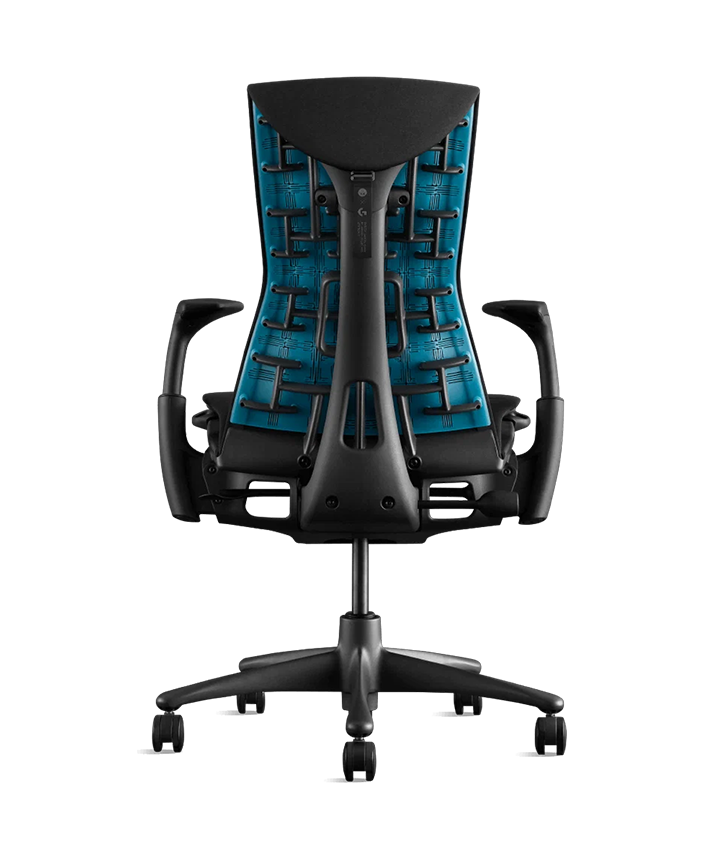
Chair: Herman Miller x Logitech G Embody
Maintaining consistent posture over long tournament days directly impacts motor control and arm alignment.
Cryocells uses an ergonomic performance chair designed to support the spine and shoulders during aggressive arm-aiming positions. Dynamic pressure distribution prevents lumbar strain, ensuring his arm maintains an unconstrained, identical range of motion relative to the desk surface.
Desk: Custom Studio Ergonomic Sit-Stand Desk
A stable, non-vibrating desk surface is mandatory for low-sensitivity arm aimers sweeping across wide pads.
A heavy-duty steel frame with a smooth matte finish ensures zero desk wobble during forceful mouse movements. Precise height adjustment allows his elbows to rest at an exact ninety-degree angle, aligning seamlessly with armrest heights to eliminate forearm drag and shoulder strain.
Cryocells keybinds 2026
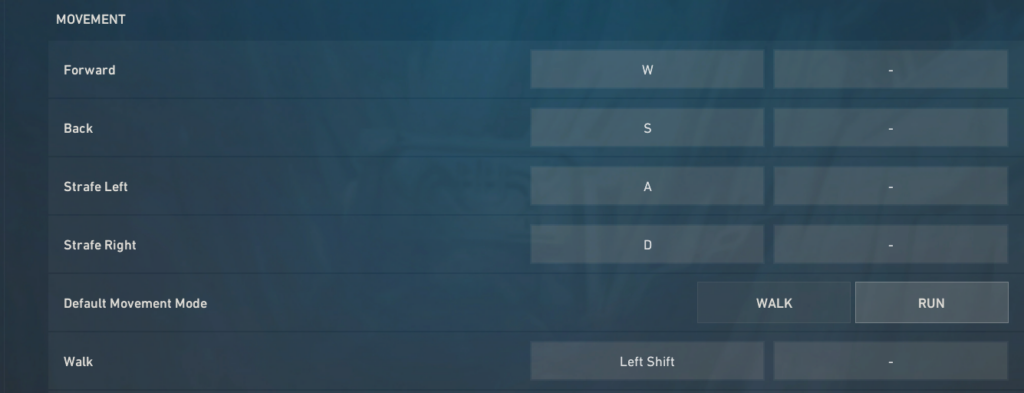
Optimizing keybinding ergonomics ensures seamless movement execution without interrupting crosshair alignment. The complete Cryocells keybinds profile reflects standard FPS conventions designed to keep movement fingers on the primary directional keys.
| Action Category | In-Game Action | Keybind Selection |
| Movement | Forward / Back / Left / Right | W / S / A / D |
| Movement | Walk | Left Shift |
| Movement | Crouch | Left Control |
| Movement | Jump | Space Bar / Mouse Wheel Down |
| Abilities | Ability 1 | Q |
| Abilities | Ability 2 | E |
| Abilities | Ability 3 | C |
| Abilities | Ultimate Ability | X |
| Equipment | Primary / Secondary / Melee | 1 / 2 / 3 |
| Equipment | Equip Spike | 4 / V |
| Equipment | Use Object / Defuse | E / Mouse Wheel Down |
Binding Jump to Mouse Wheel Down is a critical mechanical adjustment for executing fluid bunny hops and air-strafing. Scrolling the wheel inputs rapid jump commands in millisecond bursts, guaranteeing jump execution on the exact frame your character touches the ground. Keeping crouch on Left Control allows his thumb to remain dedicated to the space bar, maintaining clean finger posture during intense gunfights.
How to adapt Cryocells settings
Transitioning your setup to match Cryocells settings 2026 requires a structured three-to-four-week adaptation protocol. Directly copying a pro eDPI overnight often causes wrist strain or severe mechanical instability if your peripheral footprint lacks adequate desk space.

Week 1 focuses on non-sensitivity variables. Apply the visual configuration, digital crosshair string, and audio settings immediately. Eliminating visual bloom and enabling high frame rate output provides instant visual feedback without affecting motor memory.
Weeks 2 and 3 address sensitivity scaling. If your current eDPI exceeds 300, lower your multiplier in incremental daily steps of 0.05. This allows your shoulder and forearm muscles to adapt to large arm sweeps while preserving micro-adjustment control for tight angle holds. Ensure your mousepad surface provides enough glide area to execute a clean 180-degree turn without hitting keyboard edges.
Week 4 centers on personal ergonomic tuning. Avoid copying peripheral choices blindly if your hand size or grip style differs. Evaluate whether a 240 eDPI baseline suits your physical desk dimensions, fine-tuning final multipliers to match your natural arm mechanics.
Cryocells aim training and warm-up routine
Maintaining world-class stopping power and tracking speed requires a structured daily warmup regimen. Cryocells setting 2026 principles rely on a 40-minute, time-blocked protocol split across isolated hardware scenarios and native engine practice.
40-Minute Daily Warmup Structure
├── Phase 1: Micro-Correction (15 mins) -> Aim Lab / KovaaK's
├── Phase 2: Range Execution (10 mins)   -> Bot Tracking & Recoil Resets
└── Phase 3: Tactical Application (15 mins) -> Deathmatch Focus
Phase 1: Aim Lab / KovaaK’s Micro-Correction (15 Minutes)
The session begins in external aim software to isolate raw mechanical motor control from game engine variables.
- Microshot & Sixshot (5 Mins): Focus exclusively on straight-line flick paths and precise stopping accuracy. Target at least 95% accuracy before increasing hand speed.
- ArcTrack & Bounce 180 (5 Mins): Trains smooth arm tracking and eliminates jagged wrist adjustments during dynamic target movements.
- Gridshot Speed (5 Mins): Increases physiological hand velocity, priming fast-twitch muscle fibers before jumping into tactical gameplay.
Phase 2: Valorant Range Execution (10 Minutes)
Moving into the native client translates motor priming into game-specific movement mechanics and recoil reset timing.
- 50 Elimination Strafe Bots (5 Mins): Equip a Vandal or Guardian. Practice counter-strafing between shots, ensuring movement error reads zero on every tap.
- Medium & Hard Bot Waves (5 Mins): Practice static flicks to spawning bot heads. Maintain a smooth physical path from the center baseline to the target without over-shooting.
Phase 3: In-Game Deathmatch Application (15 Minutes)
The routine concludes with two to three Deathmatch rounds to apply mechanical precision against real player movement profiles.
- Sheriff & Guardian Tap DM (1 Round): Unbind crouch and disable game audio to rely entirely on visual reaction time and raw crosshair placement.
- Full-Buy Rifle DM (2 Rounds): Practice crosshair height pre-aiming around common chokepoint corners on active competitive maps.
Deliberate practice and hardware consistency
Adopting the complete Cryocells settings 2026 layout provides a rock-solid foundation, but high-level execution ultimately stems from disciplined practice. Upgrading your mouse, monitor, or keybinds will not transform your aim overnight without structured effort. Mechanical consistency requires aligning your physical environment with deliberate, daily warm-up routines.
Psst, here’s Cryocells official youtube channel, follow him for more updates!
When refining your mechanics, commit to small, iterative adjustments rather than frequent overhaul sweeps. Keeping your hardware parameters stable ensures that your nervous system develops reliable muscle memory across thousands of engagements. Focus on crosshair placement, precise counter-strafing, and disciplined trigger control during every practice session.
By combining calibrated esports gear with focused daily practice, you create an environment where mechanical skill can flourish naturally. Personalize your setup to fit your unique ergonomics while maintaining the core principles of low-latency performance and stopping stability.
