


Looking to replicate the raw aggression of the game’s brightest star? The donk CS2 settings provide the exact mechanical foundation you need.
Danil Kryshkovets, known globally as donk, did not just enter the tier-one Counter-Strike 2 scene. He practically tore the roof off. As the star entry fragger for Team Spirit, his playstyle relies on fearless pushes and an uncanny ability to win opening duels. But raw talent only gets you so far. How exactly does a generational player configure his game to support such demanding mechanics? Let us dive deep into his 2026 setup and find out.
The philosophy behind the donk CS2 settings
When your job is to fly out of spawn and crack open a bombsite, your setup needs to balance lightning-fast flicks with pinpoint micro-adjustments. His configuration strips away all visual clutter so his brain can process targets instantly.
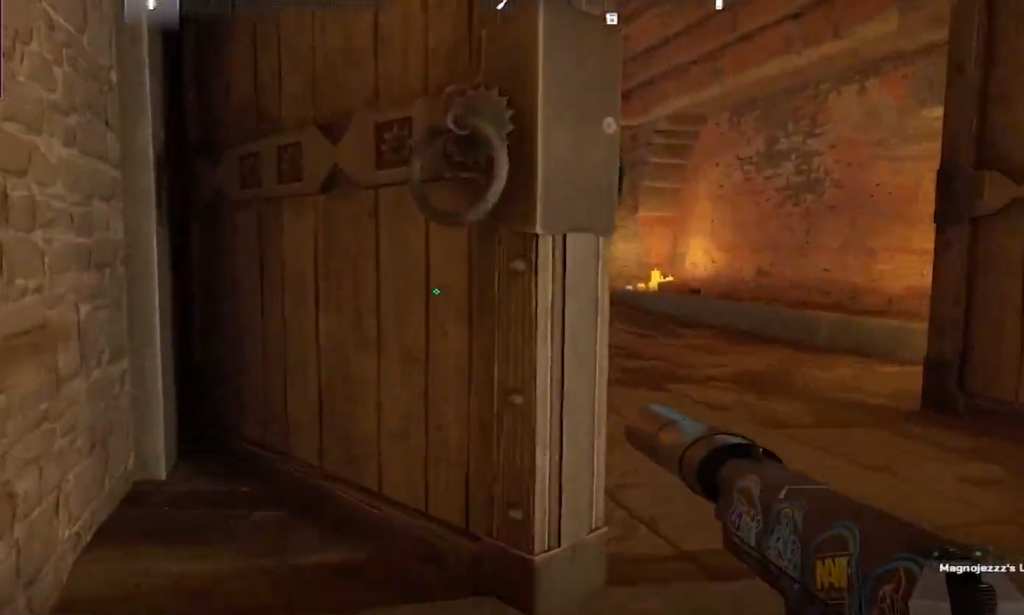
More importantly, his pro setup shows many players that you don’t need to go “overboard” with your tweaking of the game to make it work. We are going to analyze why this specific layout is the perfect engine for his relentless momentum.
Mouse configuration: The 1000 eDPI sweet spot
It is fascinating to see how the next generation approaches sensitivity and donk CS2 settings really showcase that. While many veteran pros cling to lower sensitivities, the Team Spirit prodigy uses 800 DPI paired with a 1.25 in-game sensitivity. This gives him an eDPI of 1000.
| Setting | Value |
| DPI | 800 |
| Sensitivity | 1.25 |
| eDPI | 1000 |
| Zoom Sensitivity | 1.00 |
| Polling Rate | 1000 Hz |
| Mouse | ZOWIE x donk (Unreleased) |
An eDPI of 1000 sits comfortably in the middle-to-high tier for professional riflers. Unlike passive site anchors who might prefer slower movements for pixel-perfect holds, donk needs to clear multiple angles the second he steps onto a site. This specific setup gives him the physical freedom to snap to targets instantly without over-flicking.
Video and Resolution: The 4:3 stretched standard
You do not fix what is not broken. When it comes to the visual aspect of the donk CS2 settings, he sticks to the tried-and-true competitive standard. He prioritizes pure performance over graphical beauty.
| Setting | Value |
| Resolution | 1280×960 |
| Aspect Ratio | 4:3 |
| Scaling Mode | Stretched |
| Shadow Quality | High |
| Anti-Aliasing | 8x MSAA |
| Model/Texture Detail | Low |
The 4:3 stretched resolution is the undisputed hallmark of the modern entry fragger. By stretching a 1280×960 resolution across a widescreen monitor, player models appear significantly wider. For a player with his raw reaction time, the trade-off of faster-moving enemies is well worth the perceived increase in target size. Furthermore, pairing low texture details with high global shadows ensures he can spot enemy shadows around corners.
Crosshair and Viewmodel utility
donk CS2 settings show that his crosshair and viewmodel are built entirely around visual economy. He does not want anything on his screen that is not absolutely essential to securing the kill.
Noticeably absent from his Counter-Strike 2 config is the Follow Recoil feature. While some newer players rely on it to learn spray patterns, he disables it entirely. His crosshair remains a static, tiny focal point.
It is common for top-tier professionals to adjust their reticles depending on their daily form. When looking closely at the donk CS2 settings over the past year, you will notice he frequently borrows the legendary crosshair used by NiKo. His primary custom code is often cited as CSGO-KTaY3-rXci2-9DTXB-aPuKV-MDr7C. However, he has also been seen using CSGO-LdXHk-hatWX-JjEa8-tuLDN-5tbJD during major tournaments. This small detail proves that even the most gifted rookies rely on the proven setups of veteran aimers.
His viewmodel offsets push the weapon to the bottom right of the screen. This maximizes his peripheral vision. Every single choice in the donk CS2 settings is about reducing distractions so he can focus entirely on the head of the player swinging him.
- Viewmodel FOV: 68
- Viewmodel Offset X: 2.5
- Viewmodel Offset Y: 0
- Viewmodel Offset Z: -1.5
Function over flash
If there is a central theme to donk CS2 settings, it is absolute utility. There are no gimmicks, no ultra-low niche sensitivities, and no experimental video settings. His configuration is a calculated refinement of the traditional Counter-Strike meta.
Copying this Danil Kryshkovets setup will not magically give you his god-tier game sense. It does, however, offer a glimpse into the mechanics of his success. It provides a perfect balance of speed, visibility, and control.
