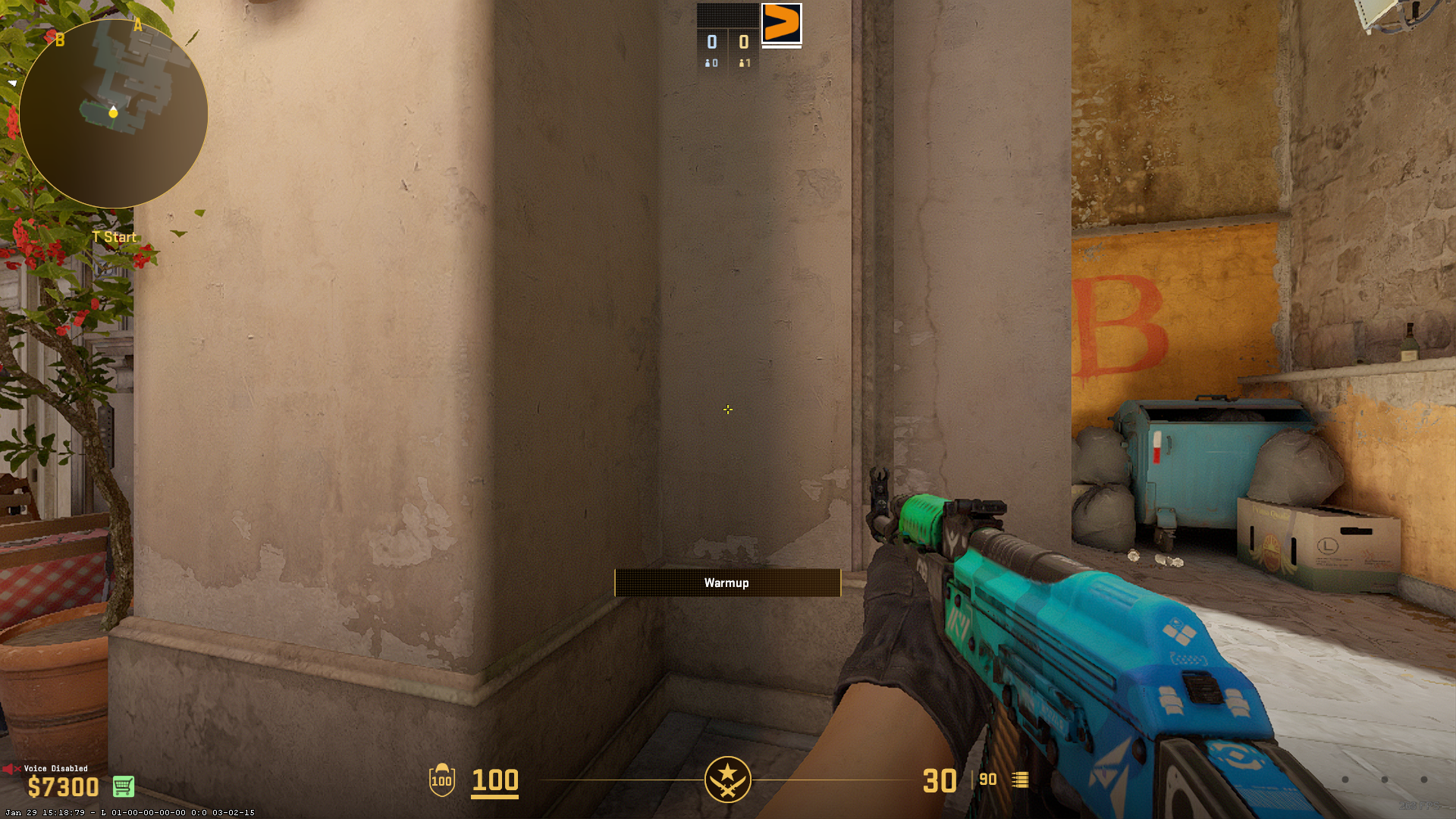




Are you scrambling to fix your crosshair after Valve wiped everyone’s configs in the September 2026 “Rush Hour” update? You’re not alone. The latest CS2 patch completely overhauled the engine’s crosshair architecture, moving to a resolution-independent pixel system and rendering years of legacy share codes obsolete.
Here is a fast, no-nonsense guide to fixing your settings, understanding the new mechanics, and grabbing the updated share codes for the world’s best players.
Why Your Old Crosshair Code Doesn’t Work
Previously, CS2 scaled crosshairs based on your resolution, which caused visual inconsistencies for players using 4:3 stretched aspect ratios. The update shifted the engine to 1:1 physical pixel measurements, establishing total resolution independence.
- Decimals are dead: The shift to integer pixels means floating values like
cl_crosshairthickness 0.5no longer exist. This is the primary reason your oldCSGO-share codes are throwing an “Invalid or old crosshair code” error. - New Menu: All customization has been moved from the standard game settings into a dedicated “Crosshair/Scopes” tab, which now features live preview testing against various map backgrounds and player models.
How to Restore Your Exact Old Settings
If you want your exact crosshair back without manually guessing the new pixel equivalents, the community has built a solution. A third-party migration tool developed by software engineer horizzon1 mathematically reverse-engineers your old settings into the new Source 2 format. Simply visit the CS2 Crosshair Migrator and input your legacy string.
Best Pro Player Crosshair Codes (Updated Post-Patch)
We’ve tracked down the validated, working share codes for Tier 1 professionals following the configuration wipe. Just copy the code and you are ready to go.
- donk (Team Spirit):
CSGO-HRUtd-7NxSn-DxZ6w-M4OPW-wjA6Q– Compact and built for aggressive spray transfers. - ZywOo (Vitality):
CSGO-Qzpx5-BRLw8-xFPCS-hTns4-GHDhP– Small intersecting lines, no dot. Perfect for first-bullet tapping. - NiKo (Falcons):
CSGO-Kt7BO-irudC-fuRod-y5fjA-fuzQN– A tiny static dot for raw Deagle and rifle precision. - m0NESY (Falcons):
CSGO-hzrMn-jXu8b-R7VH4-hQ9aa-OnMHA– Minimalist vision for quick-scoping AWPers. - s1mple (BC.game):
CSGO-OCskf-qjunY-FE6T6-rsTR9-7SVvD– A classic, highly opaque shape. - ropz (Vitality):
CSGO-HhqGJ-sDkmR-W9oNx-DvQOF-xpuCQ– Clean lines for methodical clearing and holding. - Twistzz (FaZe Clan):
CSGO-VjF2S-HLdS4-jSpcw-GrdHu-2yDRE– Ultra-minimal for pure headshot tracking. - dev1ce (100 Thieves):
CSGO-KNZyr-R7dK8-4fhTU-2OUA2-hif4D– A tight cyan crosshair for patient AWP holds. - blameF (BIG Clan):
CSGO-zCWSJ-VcwMs-2wqk4-HhBKB-r6ksF– High-visibility configuration.
How to Import a Crosshair Code
- Open CS2 Settings (gear icon in the top-left).
- Navigate to the Crosshair/Scopes tab.
- Click Share or Import near the preview window.
- Paste the code and hit Import.
What if the code fails?
Occasionally, UI imports glitch. You can bypass this by forcing the exact settings through the developer console. For example, donk’s raw commands are:cl_crosshairstyle 4; cl_crosshair_length 2; cl_crosshair_gap 0; cl_crosshair_thickness 2; cl_crosshairdot 0; cl_crosshair_t 0; cl_crosshair_drawoutline 0; cl_crosshaircolor_r 0; cl_crosshaircolor_g 255; cl_crosshaircolor_b 0; cl_crosshaircolor_a 255; cl_crosshair_recoil 0
[cite: 13]
Optimizing for Visibility and New Settings
CS2’s vibrant lighting can easily hide a thin yellow crosshair on bright maps like Anubis or Mirage. Cyan or bright Green are the most reliable color choices because those colors rarely exist in map textures.
Make sure you are taking advantage of the new mechanical adjustments:
- The Half-Outline Return: The community rioted when the 0.5 outline thickness was removed. Valve responded with a hotfix:
cl_crosshair_drawoutline 2. This creates a half-outline drop-shadow, preserving optical clarity against bright skies without making the lines unnecessarily bulky. - Dynamic Spread Limit (64 Pixels): If you use a dynamic crosshair to learn movement penalties, there is now a hard cap on spread. A new 64-pixel baseline visually represents maximum bullet deviation (like mid-air shotgun inaccuracy) to help you instantly spot when you regain first-bullet accuracy.
- Sniper Scope Thickness: Use
cl_crosshair_sniper_widthin the console to thicken the black scope lines. Value1is default, but aggressive, mobile AWPers often bump this to2or3to find the center of their screen faster during chaotic retakes. - Grenade Line-up Reticle Timing: CS2 features a built-in crosshair for utility that spans the entire screen when a pin is pulled. You can now adjust the pop-up delay time in the settings to ensure it doesn’t trigger prematurely and blind you during quick reactive pop-flashes.
Novelty Crosshairs
The new geometry system also spawned creative novelty crosshairs using hollow squares and stacked circles. If you’re messing around in casual, paste these into the share code box:
- Content Creator Light Ring:
CSGO-Ba9sx-H69TY-2rn2k-vEFhH-PGxzF - Mini Pinky Donut:
CSGO-WsqrG-cKWjC-OxDVm-MZjyr-YyMXL - HALO Crosshair:
CSGO-7vtKd-xOHJ2-ryzBS-x76f7-dqhOQ
Ultimately, the best CS2 crosshair is the one you don’t notice until you need it. Start with a pro setup, experiment with the new sliders, and find the perfect balance between comfort and clicking heads.
