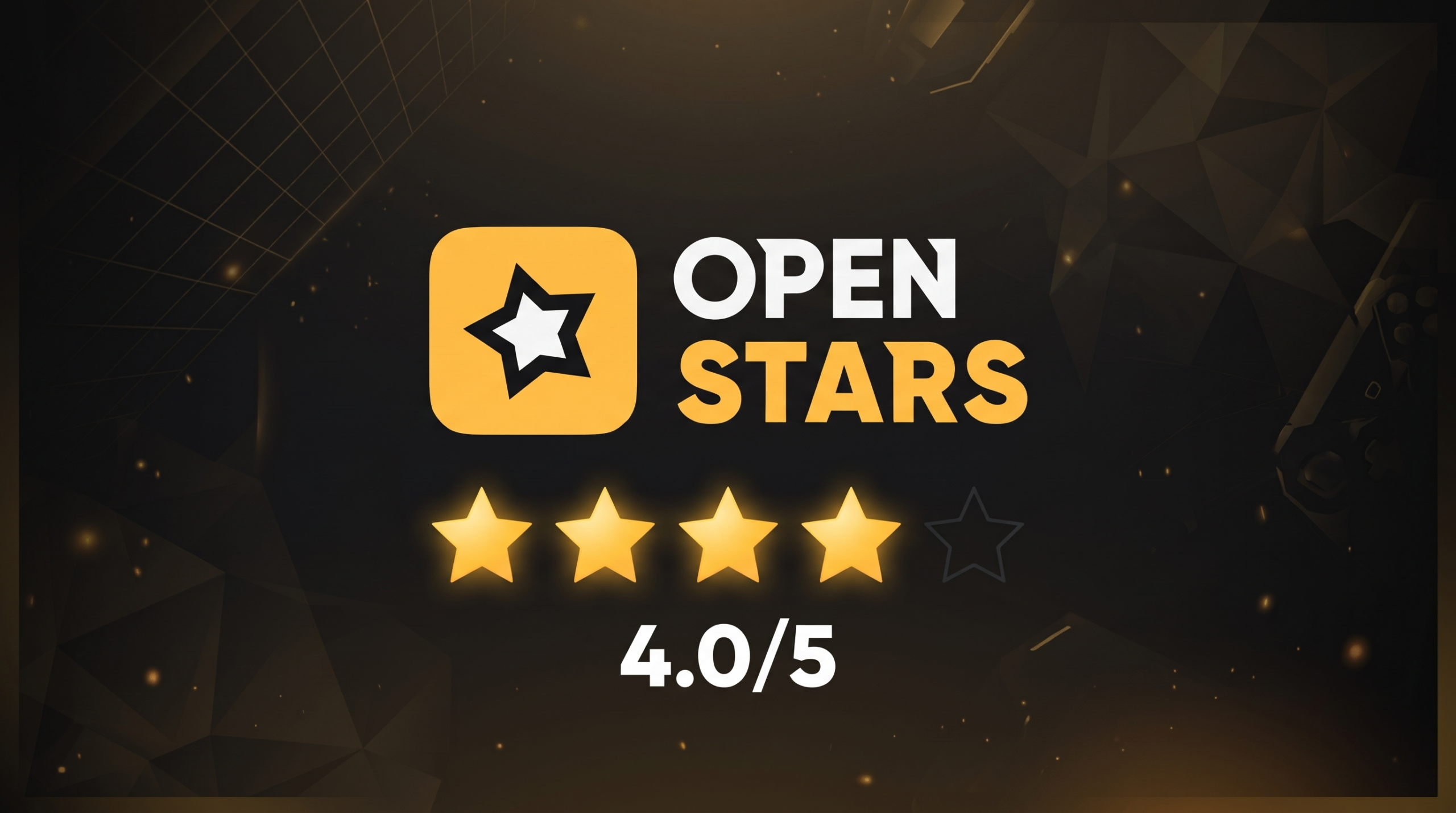




Operated by Cyprus-based U GAYA LTD under registration HE 493972, OpenStars is a dedicated case-opening and skin gaming hub built for Counter-Strike 2 players looking for budget-friendly unboxings, multiplayer battles, and trade-up contracts. The platform stands out with custom collections starting at just ten cents and a unique payout setup that converts unboxed drops into cash-equivalent balance instead of forcing unwanted items into your inventory. To see how the site actually holds up for everyday users, we deposited our own funds, spun budget and high-tier cases, jumped into bot-assisted battles, tested the upgrader, and evaluated withdrawal reliability and customer support firsthand.
What we found is an entertaining and accessible skin hub that gives budget players serious mileage, balanced by a few cashier restrictions. On the positive side, you get transparent drop odds backed by cryptographic provably fair verification, customizable Case Battles with Crazy Mode and instant bot fills, generous community giveaways, and the freedom to cash out exact desired skins to your game inventory. However, to enjoy those perks, you have to accept a mandatory one-time deposit wagering rule, zero direct fiat bank cashout options, and a support desk that relies on email tickets rather than a live chat widget. Here is our unfiltered review of how OpenStars performs today.
Advertising disclosure: PLEY may earn a commission when you sign up or buy through links and bonus codes on this page.

Pros and cons
- Budget cases starting as low as ten cents
- Case Battles with Crazy Mode, Fast Mode, and bot opponents
- Drops convert into flexible balance to pick your preferred skins
- Cryptographically verifiable provably fair system
- Free daily cases and accessible community giveaways
- No direct fiat bank transfer withdrawals
- Mandatory one-time deposit wagering before cashing out
- Customer support lacks an instant live chat widget
Ease of use
Getting around OpenStars is snappy and effortless from the moment you jump into the lobby. The layout uses a clean, dark color palette that keeps your attention on the case catalog rather than bombarding you with aggressive popups or flashing banners. Finding what you want takes seconds thanks to quick filter toggles for price ranges, rarity tiers, risk profiles, and seasonal themes. Each case page clearly displays potential drops alongside exact percentage odds, and a built-in demo mode lets you test unboxings completely free before risking any funds.
We gave OpenStars a 4.5 out of 5 for ease of use. The clean interface, lightning-fast search filters, and transparent drop odds make for a remarkably smooth user experience. You never feel lost navigating between solo unboxings, multiplayer battles, and your profile inventory.
The half-point deduction simply comes down to the absence of a dedicated mobile app, even though the mobile web layout adapts cleanly to smartphone screens without any major clunkiness.
Features and options
OpenStars packs a healthy selection of game modes tailored specifically for skin enthusiasts. Solo unboxings feature dozens of themed containers, but the real highlight is the Case Battles arena where you can face off against up to three other participants in real time. Battles support customizable twists like Fast Mode to skip long reel spins, Crazy Mode where the lowest drop total takes the pot, and bot seats to start duels without waiting. On top of that, you get an Upgrader to risk items for higher-tier prizes, Trade-Up Contracts to swap bulk skins, and limited-time event hubs with shared prize pools.
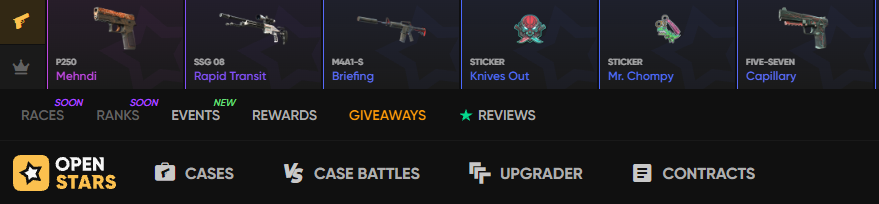
OpenStars earns a 4 out of 5 in this category. Having interactive battles with bot integration, Crazy Mode mechanics, and flexible item upgraders gives players plenty of variety beyond plain unboxing reels.
What keeps it from hitting a perfect score is the deliberate lack of traditional casino table minigames like roulette or dice rolls. The platform focuses strictly on case openings, battles, and item trade-ups, which is great for purists but slightly limits variety for players who enjoy broader gaming formats.
Bonuses and promotions
The promotional lineup on OpenStars focuses on keeping active players rewarded with regular freebies and balance boosters. New players can activate the promo code PLEYGG to claim up to a 10% match and an extra $0.50 bonus on their first deposit. Beyond welcome perks, the platform runs a tiered level progression system that unlocks daily free cases whose prize pools improve as your account rank climbs. For community engagement, regular giveaways run throughout the week, letting participants enter for free by completing simple tasks like verifying an email address or joining public social channels.
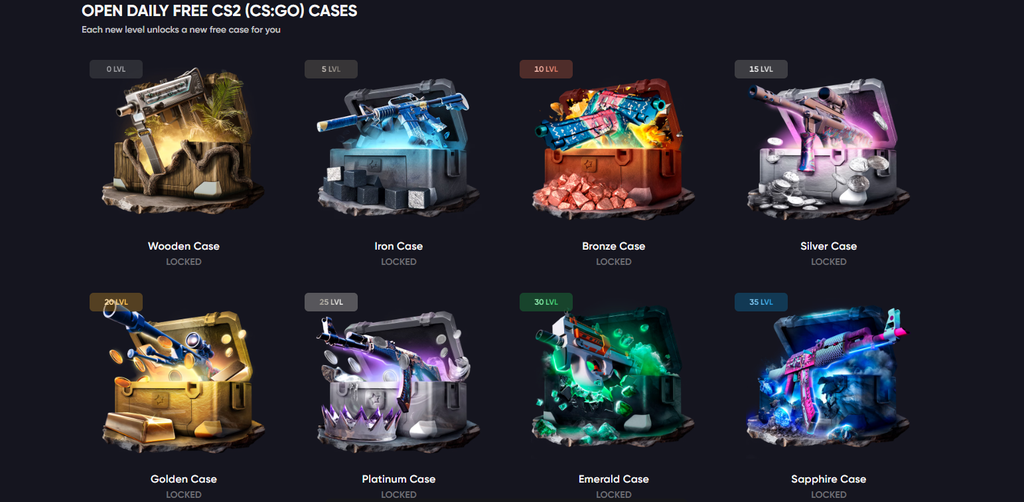
We rated bonuses and promotions at 4.0 out of 5. The recurring daily cases and frequent free giveaways give casual users genuine value without demanding hefty spending up front.
The lost point is driven by how high-tier daily rewards work. To maintain access to the most lucrative daily cases, players must maintain steady wagering volume over time. If you step away from the site for a couple of weeks, your daily rewards naturally taper off, which penalizes casual users who prefer intermittent play.
Value for money
OpenStars stands out mathematically by offering cases priced as low as ten cents, making budget unboxings accessible to everyone. Rather than forcing you to take whatever random item lands on the reel, the site automatically converts unboxed drops into cash-equivalent account balance. This means if you pull a skin you dislike or already own, you can immediately put that balance toward a knife or rifle you actually want. Every game outcome is governed by a cryptographic provably fair algorithm, allowing users to verify seeds and nonces to confirm that rolls were not tampered with.
The platform scores a 4.0 out of 5 for value for money. The ten-cent starting price point, flexible balance conversion, and transparent cryptographic fairness give you substantially more control over your spending than traditional loot box systems.
The deduction of one full point reflects the mathematical reality of house edge. While budget cases provide cheap entertainment, high-tier skins still carry microscopic drop odds, meaning players must treat the experience as entertainment rather than an easy shortcut to guaranteed profit.
Payment and cashout
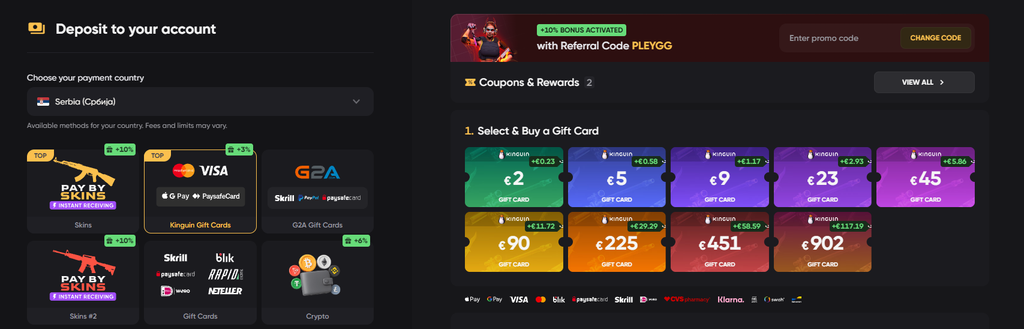
Funding your wallet on OpenStars is straightforward, with the cashier accepting major credit cards, electronic payment systems, prepaid gift cards, popular cryptocurrencies, and a direct Pay by Skins option that lets you deposit existing in-game items from your inventory. Once you are ready to cash out your winnings, you can use your accumulated balance to claim weapon skins, gloves, or knives directly to your game inventory through automated trade offers. Alternatively, users who prefer digital assets can withdraw eligible funds through supported cryptocurrency options, giving you a handy off-ramp if you do not want physical game cosmetics.
We settled on a 3.5 out of 5 for payment and cashout. Having Pay by Skins alongside card, gift card, and crypto deposits makes topping up your balance super flexible, and being able to pick exact withdrawal skins is great. However, the cashout side remains more restrictive. Direct fiat withdrawals to traditional bank accounts or credit cards are not supported, forcing you to rely entirely on crypto or in-game trade offers.
Furthermore, anti-money laundering regulations enforce a mandatory one-time turnover requirement on deposited funds before a withdrawal request is processed, which can catch pure skin traders off guard.
Customer support
Getting assistance on OpenStars is straightforward thanks to a small support widget tucked into the bottom right corner of the screen. Clicking the widget gives you two immediate paths to resolve your problem. You can use the Search for Help option to browse a curated collection of guide articles covering specific platform topics, or click Contact Support to jump straight into a direct support chat. For less urgent inquiries or business questions, the platform also maintains a dedicated support email channel and detailed policy pages.
Customer support earns a strong 4.5 out of 5. Having a convenient bottom-right widget that combines instant self-service help articles with a direct support chat makes troubleshooting quick and painless. Whether you need a quick refresher on how upgrades work or need a human agent to check on a trade offer, help is always a couple of clicks away without leaving the lobby.
The only minor reason it misses a perfect score is that chat queue times can stretch out slightly during peak evening traffic.
Frequently asked questions
Is OpenStars a legitimate platform?
How do Case Battles work on OpenStars?
Can you withdraw real skins from OpenStars?
Does OpenStars offer free cases?
How do you use a promo code on OpenStars?