





The first thing you’ll notice when booting up Valorant Patch 12.00 is that the home screen looks a lot cleaner. Riot has finally swapped out the old layout for a top navigation bar that matches the rest of the game’s menus. It is a small change, but it makes a huge difference when you are trying to jump between your collection and the store without clicking through five different sub-menus.
The “Play” button is much more obvious now thanks to some modernized icons and a background that isn’t as cluttered. They also tucked away the news and event panels to the side. It feels way less “in your face,” giving the whole client a more polished and professional vibe that has been missing for a while.
Better lobby screens and queue selection
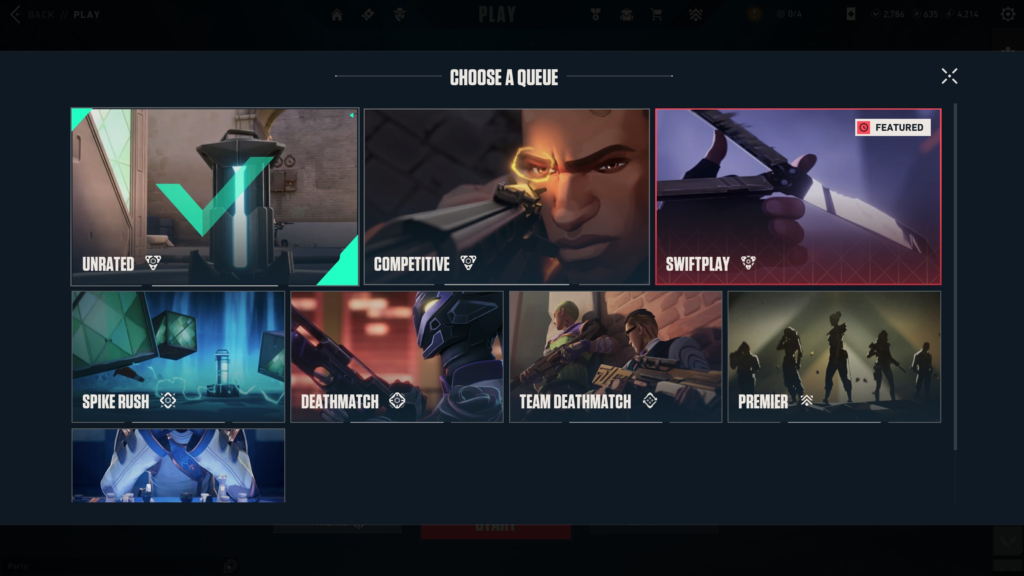
If you are tired of accidentally queuing for the wrong mode, the new “Queue Select” screen is going to be your favorite part of this update. When you click to change your game mode, it now pulls up a full-screen menu with large artwork and clear descriptions of what each mode actually is. Your currently selected queue is also pinned to the left side of the lobby, so everyone in your party knows exactly what they are getting into.
| Feature | What is new in Patch 12.00 | Why it matters |
| Lobby Layout | Selected mode is now on the left | No more accidental queues |
| Mode Menus | Full-screen art and descriptions | Clearer info for new players |
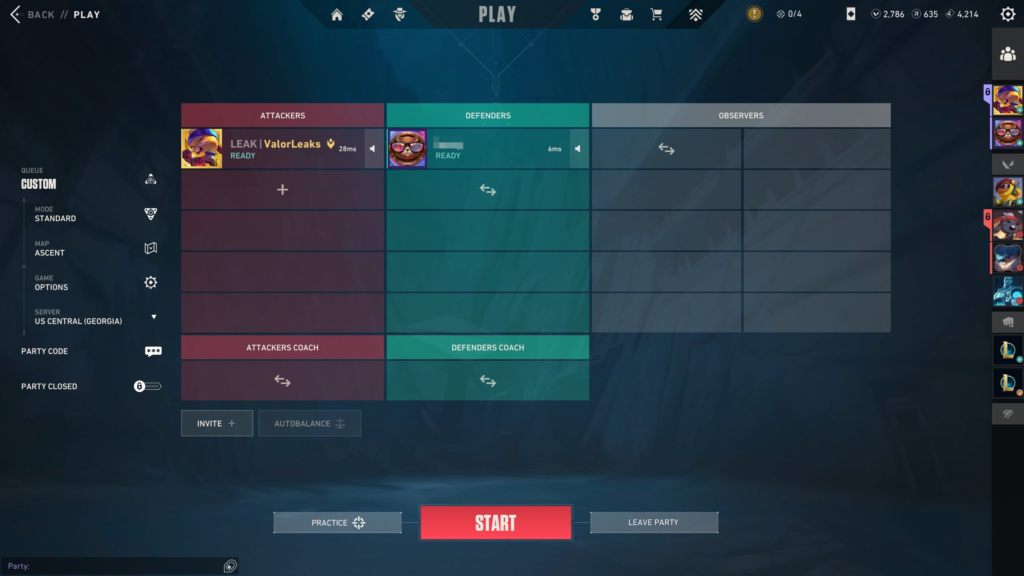
| Custom Matches | Map selection moved to the left | Faster tournament setup |
Custom games got some love too. The map and mode settings have moved to the left side of the screen, using the same big visual menus as the standard matchmade lobbies. It makes setting up a quick 10-man or a practice session feel a lot more modern and snappy.
Social panel updates and friend management
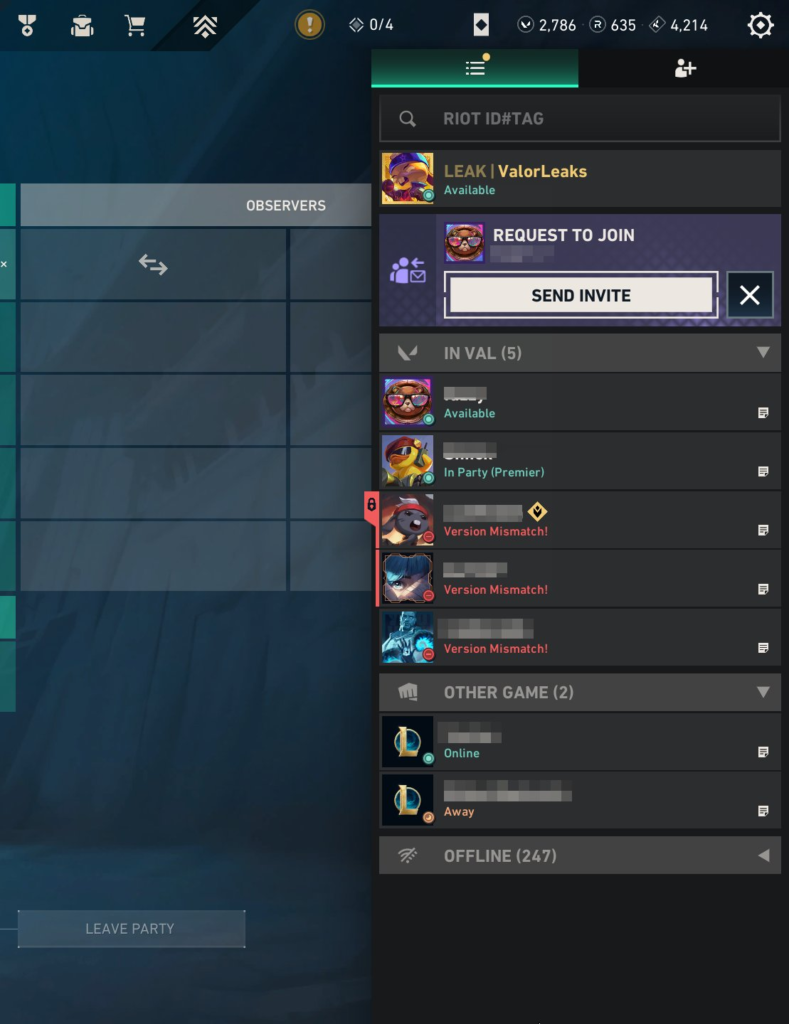
Managing a massive friends list just got a lot less annoying. Riot added a dedicated tab specifically for friend requests, so they don’t get lost among your offline friends anymore. You can see them all in one spot, accept the ones you want, and keep your main list clean.
There is also a new “Behavior Standing” indicator right in the social panel. This is Riot’s way of being more transparent about account health. It shows you if you have any active penalties or if you are on the verge of getting a ban for being toxic. It is a simple color-coded system that gives you a heads-up on where your account stands before things get serious.
FAQ: Valorant PC UI updates
Where did the friend requests move to?
You can find them in a new dedicated tab at the top of your social panel. This separates them from your actual friends list so you can manage them more easily.
What is the Behavior Standing indicator?
It is a new UI element that tells you if your account is in good standing or if you’ve been flagged for bad behavior. It’s meant to give you a warning before a voice or chat restriction actually hits.
Why does the home screen look different?
Riot updated the home screen to use the same top navigation bar as the other menus in the client. This makes the whole experience feel more consistent and easier to navigate.
Did they change the custom game map selection?
Yes, the map and mode selection is now on the left side of the custom lobby. It also uses much larger images so you can see exactly which map you are picking.
