
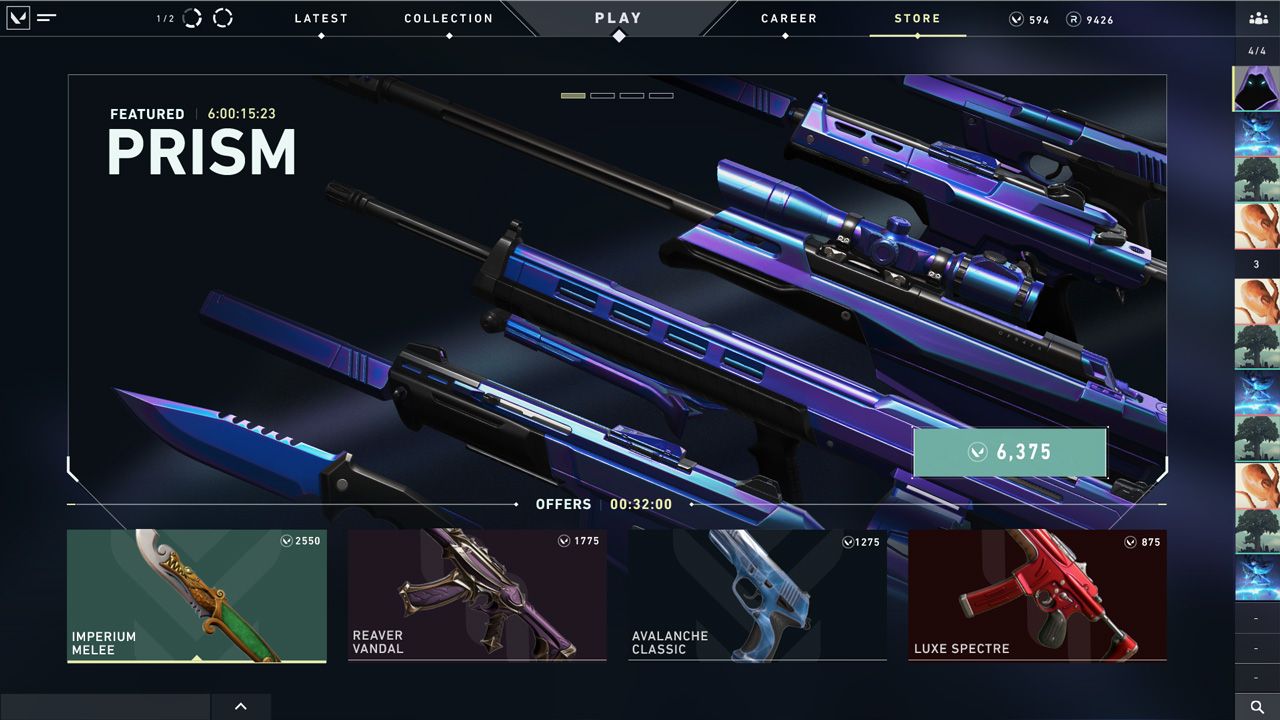







Quick answer: the fastest way to check your Valorant shop without opening the game is the free shop checker in our Discord. Join the Pley server, go to #valorant-shop-tracker, type /login once and then /shop. You get your four daily skins with prices and the time until your next shop, on your phone or PC.
Check your Valorant shop in DiscordFree in the Pley Discord. Type /login once, then /shop.Open DiscordHow to check your Valorant shop in three steps
- Join the Pley Discord at pley.gg/discord and open #valorant-shop-tracker in the Valorant category.
- Type /login and follow the steps the bot shows you. You only do this once. If the bot later says you were logged out, run /login again.
- Type /shop to see your daily offers. Use the buttons under the shop to switch between the skin shop and the accessory shop, or pick a skin to watch its video.

Valorant store today

- Snowfall Axe 2,550 VP
- Snowfall Vandal 1,275 VP
- Snowfall Spectre 1,275 VP
- Snowfall Bandit 1,275 VP
- Snowfall Marshal 1,275 VP
Your four daily skins are personal. Type /shop in #valorant-shop-tracker to see yours.
Your personal shop shows four skins and refreshes every 24 hours at 00:00 UTC. The featured bundle is the same for every player. Your four daily skins are picked for your account alone, so no website can show them without you signing in. That is why the checker asks you to log in.
Want more pley.gg in your Google results?
Add to Preferred Sources

Is the shop checker safe?
The checker in our Discord is Valorant Shop, a verified Discord app that we have added to #valorant-shop-tracker. It is made by an independent developer, not by Riot or Pley. To read your personal shop, it needs you to sign in to your Riot account through the /login command.
- Only sign in through the steps the bot gives you with /login. Pley staff will never ask for your Riot password in a DM.
- Never type your Riot login into a website or app you found through an ad or a DM. That is where most Valorant account scams happen.
- If you would rather not sign in anywhere outside the game, the in-game store is always the safest and most accurate way to check.
Every way to check your Valorant shop
- Phone
- Yes
- Sign in
- Once, with /login
- Best for
- Fast daily checks anywhere
- Phone
- No
- Sign in
- Riot Client
- Best for
- The safest and most accurate view
- Phone
- Yes
- Sign in
- Your own PC
- Best for
- Checking from your phone without a third party
- Phone
- Yes
- Sign in
- Riot login in the app
- Best for
- Only apps you trust
In-game store
Launch Valorant and open the Store tab. Your four daily offers sit under the featured bundle, with a timer showing when they refresh. If a tracker ever shows a different reset time, trust the client. Riot explains how the store works in its guide to the Valorant store.

Remote desktop
Install Chrome Remote Desktop or Parsec on your gaming PC and the app on your phone. Connect, open the Riot Client and check the store. It is slower than a bot, but nobody except you touches your account.
Mobile apps
There are shop apps on Google Play and the App Store, but none of them are made by Riot. Check the reviews, avoid APK files from outside the official stores and never reuse your Riot password elsewhere.

FAQ: Valorant shop checker
Is there an official Valorant shop checker?
No. Riot only shows your personal shop in the game client. Every shop checker outside the game, including the one in our Discord, is made by a third party.
When does the Valorant shop reset?
Your four daily skins refresh every 24 hours at 00:00 UTC. The /shop command shows how many hours are left until your next shop.
Why does the bot say I got logged out?
Your Riot sign-in expires from time to time. Run /login again in #valorant-shop-tracker and then /shop.
Can I get banned for using a shop checker?
A shop checker reads your store. It does not buy or change anything in the game. Riot does not officially support them, so the in-game store is the only option Riot stands behind.
I entered my Riot login on a suspicious site. What now?
Change your Riot password straight away, turn on two-factor authentication in your Riot account settings and contact Riot Support if anything looks wrong.
Read next
 ValorantOctober Night Market Details and Champions 2026 Melee Rumors RevealedUpdated 2 weeks ago
 ValorantWeekly Pley giveaway: win a 2,575 VP gift cardUpdated 2 weeks ago
 ValorantVALORANT Leaks: New Run It Back Bundle, Night Market, and Champions 2026Updated 2 weeks ago
 Top storyFnatic sign marteen for VCT EMEA 202713 hours ago