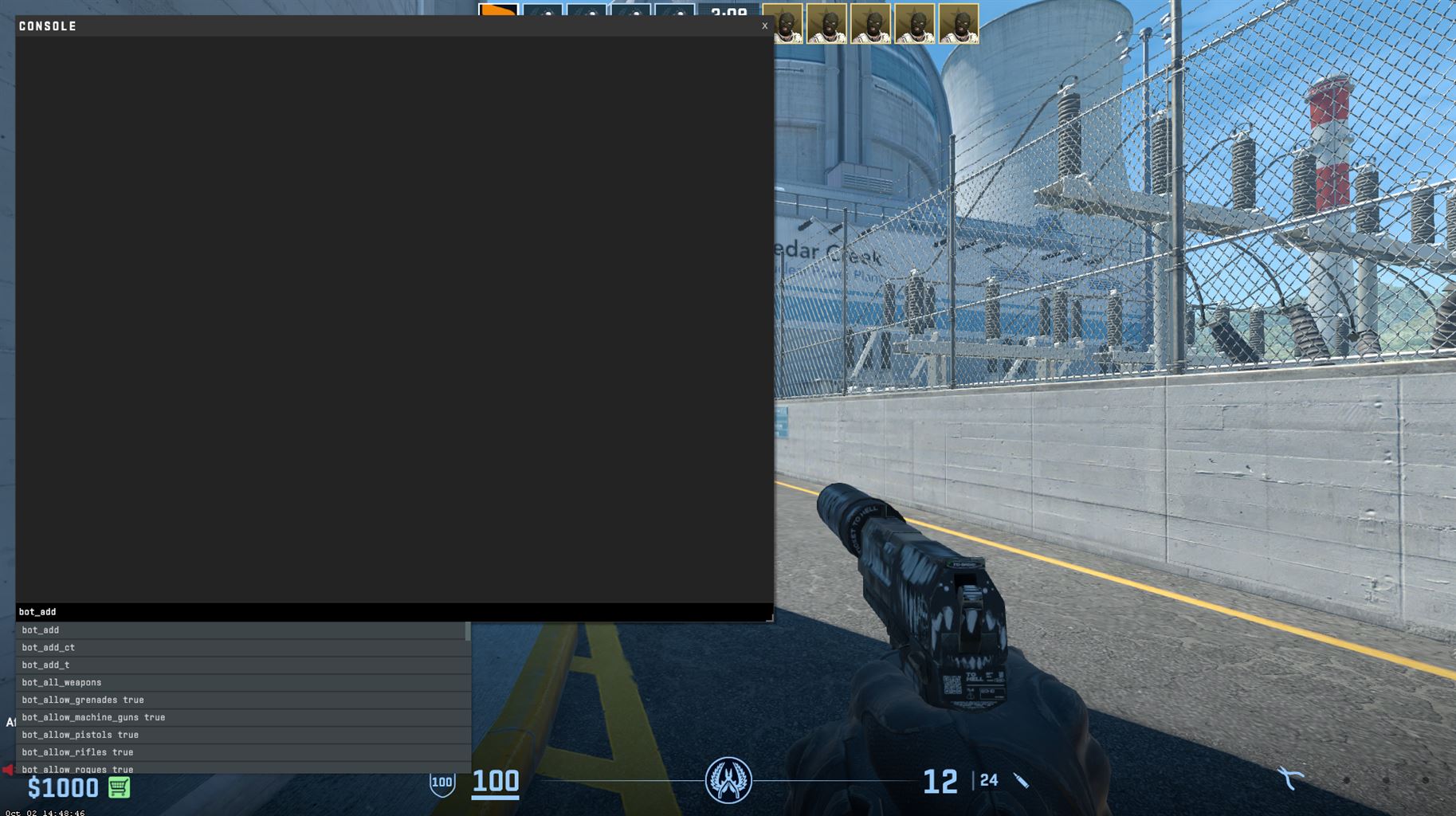





The right commands can revolutionize your gaming experience, tailoring the aesthetic and mechanics of CS2 to suit your individual needs and preferences. From showcasing frames per second (FPS) on your screen to optimizing the audio for a clearer acoustic environment, console commands are indispensable tools for amateur and professional players alike.
Opening the Developer Console
The epicenter of all commands, the developer console, is crucial to implement various command-based tweaks and mods. To access it:
Press
Escape
and navigate to the
Settings
menu.
Select
Game
and enable
Developer Console
by toggling it to ‘Yes’.
Now, by pressing the
tilde key
(
~
)—found adjacent to ‘1’ on your keyboard—you can open the console anytime during the game.
Useful commands in CS2
These commands can be used during the practice mode in CS2. Jump into a practice mode on any of the maps and use these commands to design your own perfect setting to practice.
Mp_maxmoney 60000
mp_startmoney 60000
mp_buytime 9999
sv_showimpacts_time 10
sv_infinite_ammo 1
sv_showimpacts 1
ammo_grenade_limit_total 5
sv_grenade_trajectory_prac_pipreview 1
sv_cheats 1
bot_add t
bot_add t normal (difficulty of bot)
bot_kick
mp_warmup_end
mp_limitteams 0
mp_freezetime 0
mp_roundtime_defuse 60
mp_respawn_on_death_ct 1
mp_respawn_on_death_t 1
Useful binds: (have sc_cheats 1 on)
bind “alt” “noclip”
Allow you to fly around the map
bind “mouse5” “svrethrowlast_grenade”
Rethrows your last grenade
Here is a video showing how you use the Developer consol alongside with tips for good commands.
Fundamental Commands for Optimizing Gaming Experience
Visual Optimization Commands
Viewing FPS
: Use
cl_showfps 1
to display the FPS on your screen. It’s crucial to keep an eye on your FPS for smooth gameplay.
Max FPS
: Although unclear,
fps_max [value]
could potentially set a limit to your FPS, providing a balanced visual experience and preventing unnecessary load on your GPU.
Network Optimization Commands
A flawless online experience is paramount in CS2. Tweaking network settings via console can mean the difference between a seamless gaming session and a lag-laden ordeal.
Update Rate
: Ensure
cl_updaterate 128
to optimize data retrieval speed from the server.
Interpolation Settings
: Configure interpolation via
cl_interp
and
clinterpratio
.
With stable internet:
cl_interp 0.015625
and
clinterpratio 1
.
With unstable internet:
cl_interp 0.03125
and
clinterpratio 2
.
These commands can harmonize client-server synchronization, minimizing discrepancies in player actions and server responses.
Audio Commands
Sound is an invaluable component in CS2, enabling players to decode enemy movements, shots, and strategies.
Configuring Speaker
:
speaker_config 2
might make the game’s audio clearer and more discernible, particularly if you’re transitioning from a game like Counter-Strike Global Offensive.
Customization and Preferences
View Model Commands
Adjusting your view model enhances your visual comfort and gameplay aesthetic.
FOV
:
viewmodel_fov 68
is set to maximize your field of vision.
Offset X
:
viewmodeloffsetx 2.5
aligns your weapon horizontally to your liking.
Offset Y
:
viewmodeloffsety 2
maximizes depth perspective.
Offset Z
:
viewmodeloffsetz -2
ensures the weapon positioning is at a comfortable vertical point.
While current settings might lack options to adjust view model bob, future updates might introduce this feature for even deeper customization.
Demystifying Console Commands
Console commands in CS2 are imperative to unlocking an optimized, personalized gaming experience. These settings ensure you are on par with seasoned players, unraveling what might initially seem like their secret settings. Commands are not enigmatic but rather powerful tools when learned and utilized effectively.
It’s pertinent to familiarize oneself with various commands, exploring, experimenting, and subsequently creating an in-game environment that resonates with one’s playing style. So, plunge into the console, tweak and tune, and pave your path to becoming a CS2 connoisseur.
