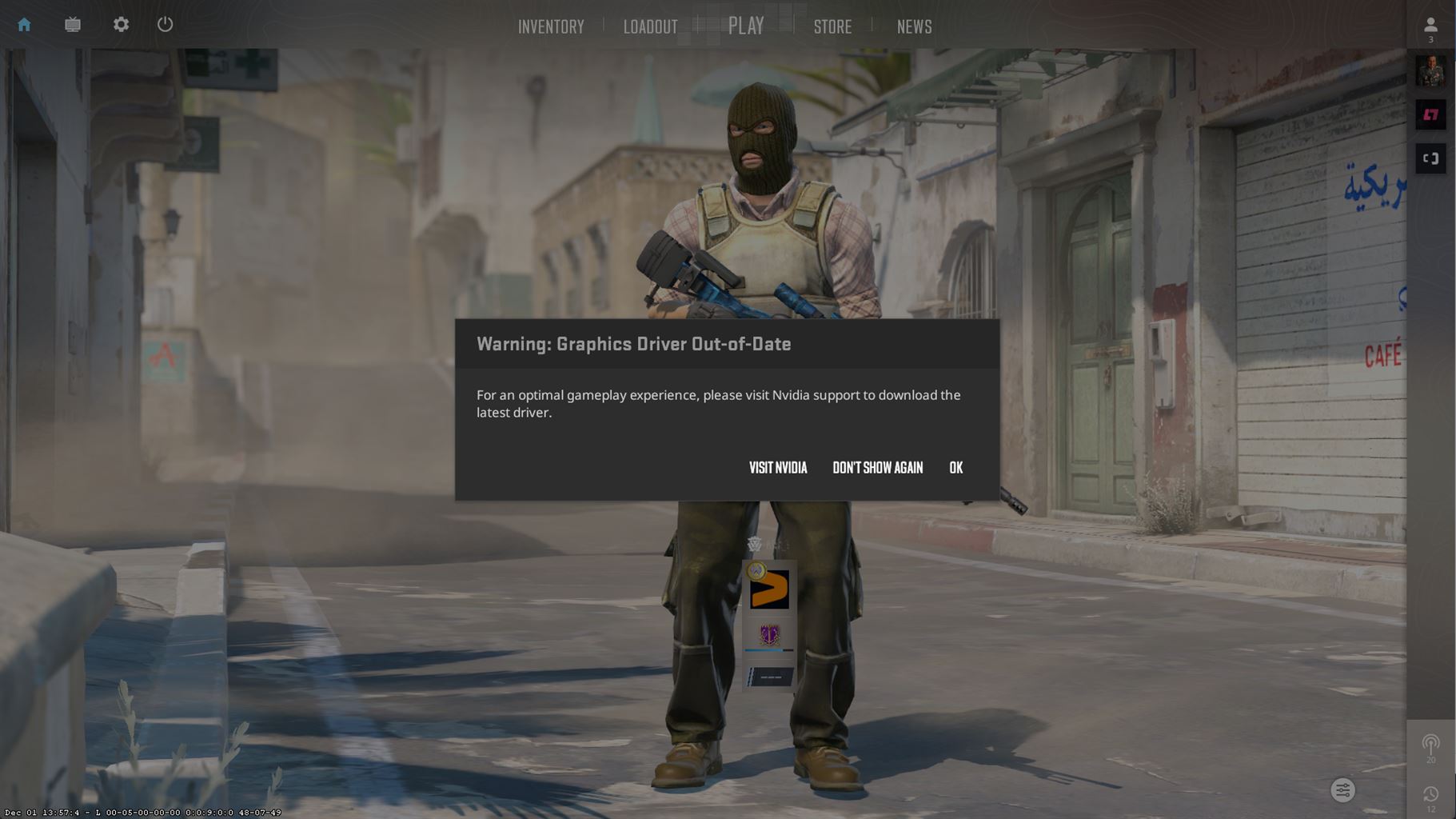





In one of the latest updates to CS2, Valve has now started to display a warning for outdated drivers for graphic cards.
As seen in the picture above, you will now receive a warning, if the game detects that your driver is not updated, which can have an impact on the stability of the game. We have seen examples of players being kicked out of a server if their graphics card is not up to date. So to make sure that you get the best gameplay experience, we recommend you update your drivers.
How to update your driver:
1) The first step is to take a screenshot of your current settings in CS2. We have seen cases where the new updated driver overwrites your current settings in CS2.
2) See what current version of your graphic card that you have installed. Right-click on your desktop and select either AMD Radeon Settings (Click on System to access the system overview, software, and hardware details. Select the Software tab for detailed information about the installed graphics driver.) or NVIDIA Control Panel (From the NVIDIA Control Panel menu, select Help > System Information. The driver version is listed at the top of the Details window).
3) Check the latest drivers: (This was written on 4th December 2023)
– NVIDIA released
GeForce Graphics Driver. 546.17
on November 14th, 2023. This is the latest version of these drivers available for most NVIDIA-based video cards.
–
AMD Radeon Graphics Drivers 23.11.1
released on November 3rd, 2023.
4) If you do not have the latest driver, update your driver here:
– NVIDIA
– AMD
We hope this was helpful!
Best ingame setting for CS2
